Bring Your Own Key Encryption for Small Business Cloud Security
Holding your own encryption keys prevents cloud providers from accessing your data, even if their internal systems are compromised or subpoenaed.

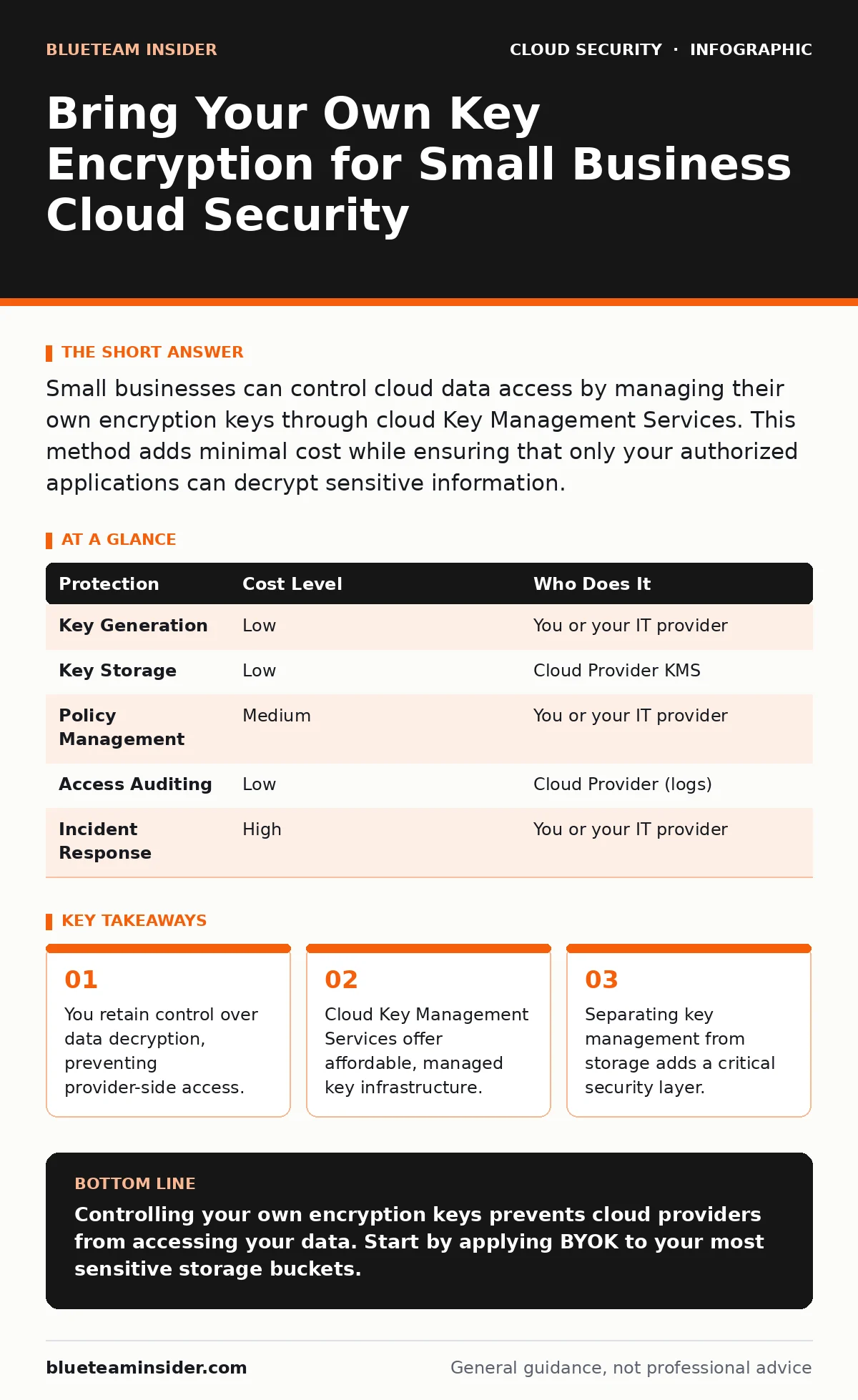
Small businesses can control cloud data access by managing their own encryption keys through cloud Key Management Services. This method adds minimal cost while ensuring that only your authorized applications can decrypt sensitive information.
Why Default Encryption Is Not Enough
Most cloud storage encrypts data by default. This protects your files from physical theft or network interception. It does not protect them from the cloud provider itself. The provider holds the master keys. They use these keys for backups, disaster recovery, and system maintenance.
This arrangement creates a single point of failure. If an attacker compromises the provider’s key management system, they can decrypt every tenant’s data. This is known as a supply chain attack. BYOK changes this dynamic. You generate and store the keys in your own account. The cloud provider stores the encrypted data but cannot read it without your permission.
This matters for small businesses because you likely handle sensitive client data. You may not have the budget for a dedicated security team. BYOK allows you to enforce strict access controls without hiring specialized staff. It shifts the burden of key protection from the provider to you.
The Mechanics of Key Separation
Encryption relies on a mathematical transformation that scrambles readable data into ciphertext. To read the data, you need a key. In standard cloud setups, the provider manages this key. The process is automatic and invisible to you.
In a BYOK setup, you manage the key. You generate the key material on your local machine or in a secure cloud vault. You upload this key to the cloud provider’s Key Management Service (KMS). The KMS stores the key in an encrypted state. When your application needs to read data, it requests the key from the KMS. The KMS decrypts the key in memory and uses it to decrypt the data. The key never leaves the secure environment in plain text.
This separation ensures that the storage service and the key service are distinct. An attacker who breaches the storage service cannot access the keys. They must also breach the KMS and your access policies. This adds a significant barrier to data exfiltration.
Affordable Ways to Implement BYOK
You do not need expensive hardware to implement BYOK. Most major cloud providers offer a software-based KMS. This service is often included in the free tier or has a low monthly fee. You pay for the number of keys and the API calls made to decrypt data. For a small business, this cost is negligible.
The main expense is configuration time. You must define who can access the keys. You must set up policies that restrict key usage. These policies are digital rules that dictate which applications can request decryption. They replace the need for human judgment in real-time scenarios.
If you are concerned about the cloud provider’s security, consider a Hardware Security Module (HSM). This is a physical device that stores keys in tamper-resistant hardware. Cloud providers offer cloud-HSM services. These are more expensive than software KMS but provide higher assurance. For most small businesses, software KMS is sufficient. It balances cost with effective protection.
What to Delegate to the Cloud Provider
Do not try to build your own key management infrastructure. This is a high-risk activity. Key management requires rigorous auditing, rotation, and access control. Building this yourself introduces human error.
Delegate the storage and transmission of keys to the cloud provider’s KMS. They handle the physical security of the servers. They manage the software updates and patches. They provide the API interfaces for your applications. Your role is to define the policies. You decide who can use the keys and for what purpose.
This division of labor reduces your operational burden. You focus on business logic and access policy. The provider focuses on infrastructure security. This model leverages the provider’s scale and expertise. It allows you to maintain control without maintaining complexity.
Questions for Your IT Provider
If you outsource your cloud setup, you must verify their approach. Ask specific questions about key management. Do not accept vague answers about "standard security."
- Do you support Bring Your Own Key (BYOK) for all storage services?
- How do you rotate encryption keys? Is it automated or manual?
- Who has administrative access to the Key Management Service?
- Can you provide a diagram of the data flow and key usage?
- How do you handle key deletion? Can data be recovered after key deletion?
These questions reveal the provider’s maturity. A competent provider will have documented procedures. They will show you the policies and logs. They will explain the trade-offs of their configuration. If they cannot answer these questions, look for another provider.
| Protection | Cost Level | Who Does It |
|---|---|---|
| Key Generation | Low | You or your IT provider |
| Key Storage | Low | Cloud Provider KMS |
| Policy Management | Medium | You or your IT provider |
| Access Auditing | Low | Cloud Provider (logs) |
| Incident Response | High | You or your IT provider |
See also: Bot Management Misconceptions: What Cloud Security Teams Get Wrong · Cloud Detection and Response: 6 Misunderstandings That Leave You Exposed
Hidden Costs and Edge Cases
BYOK is not a silver bullet. It introduces new failure modes. If you lose access to your KMS, you lose access to your data. The cloud provider cannot help you recover it. This is a permanent loss.
You must back up your keys and recovery agents. Store these backups offline and in separate locations. Test your recovery procedure regularly. Do not assume it will work when you need it.
Another edge case is application compatibility. Some legacy applications may not support KMS integration. They may require the key to be embedded in the code. This defeats the purpose of BYOK. You must verify that your applications can use external key services.
Integrating with Broader Security
BYOK is one layer of defense. It does not replace other security measures. You still need to protect your user accounts. Implement MFA for cloud accounts to prevent unauthorized access to your KMS.
Monitor your environment for orphaned cloud resources. These are unused services that may still have access to your keys. Clean them up regularly. Review your cloud audit logs to detect unusual activity.
If you use a hybrid cloud setup, ensure your on-premises systems can access the cloud KMS. This may require network configuration changes. Refer to our guide on hybrid cloud security for details.
For compliance requirements, BYOK can help demonstrate control over data. It shows regulators that you are not reliant on the provider’s security alone. See our guide on cloud compliance for more information.
Final Steps for Implementation
Start by identifying your most sensitive data. Apply BYOK to this data first. Do not attempt to encrypt everything at once. This approach minimizes risk and allows you to learn the process.
Test your decryption process in a non-production environment. Verify that your applications can access the data. Check the logs for any errors. Once you are confident, migrate your production data.
Regularly review your access policies. Remove permissions that are no longer needed. This reduces the impact of a potential key compromise.
See our guide on cloud security assessments to evaluate your overall posture. Use our guide on cloud incident response to prepare for potential breaches. Understanding cloud ransomware risks can also inform your key management strategy.
Key takeaways
- You retain control over data decryption, preventing provider-side access.
- Cloud Key Management Services offer affordable, managed key infrastructure.
- Separating key management from storage adds a critical security layer.
Controlling your own encryption keys prevents cloud providers from accessing your data. Start by applying BYOK to your most sensitive storage buckets.
Frequently asked questions
Does BYOK protect against the cloud provider going bankrupt?
No, but it ensures that your data remains encrypted and inaccessible to new owners or liquidators without your keys.
Can I use BYOK if I only use free cloud tiers?
Yes, most providers allow BYOK with their free KMS tiers, though you may have limits on the number of keys.
What happens if I forget my master key?
Your data becomes permanently inaccessible. Always store backups of your key material in a secure, offline location.
Is BYOK harder to manage than default encryption?
Yes, it requires more initial configuration and ongoing policy management, but it provides significantly better control.
How this guide was produced: written by the BlueTeam Insider editorial team with AI assistance, checked against the public references listed below, and reviewed when the facts change. See our editorial policy or report an error.