Cloud Audit Logs: What They Reveal and Where They Fail
Cloud audit logs record every action taken in your environment, but they cannot prove who held the keys when the action occurred or why it happened.

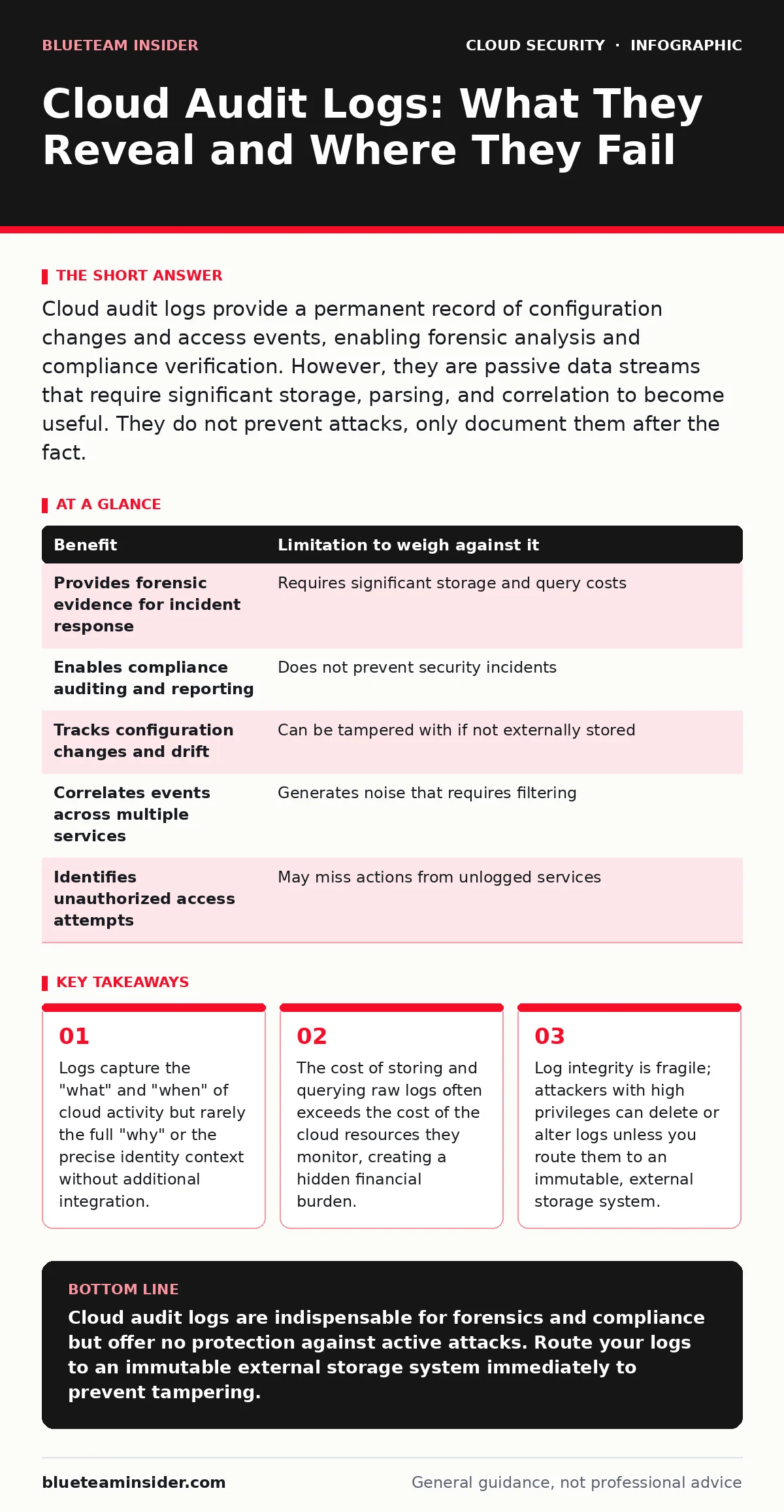
Cloud audit logs provide a permanent record of configuration changes and access events, enabling forensic analysis and compliance verification. However, they are passive data streams that require significant storage, parsing, and correlation to become useful. They do not prevent attacks, only document them after the fact.
The Passive Witness Problem
Cloud audit logs act as a black box recorder for your infrastructure. They capture API calls, configuration changes, and access attempts. This data allows you to reconstruct events after a security incident occurs.
However, these logs are passive. They do not stop an attacker from deleting a database. They do not block a misconfigured storage bucket from becoming public. They simply note that the action happened.
Many organizations treat logging as a security control. It is not. It is a detection and forensic control. Confusing the two leads to false confidence. You may have perfect logs while your environment is compromised.
Concrete Benefits of Audit Trails
The primary benefit is accountability. Every action in a cloud environment generates a log entry. This includes who performed the action, when it occurred, and what resource was affected.
This granularity helps you identify configuration drift. If a security group opens unexpectedly, the log shows which service or user made the change. It also supports compliance requirements by providing an auditable trail of access.
Logs enable you to correlate events across services. A login from an unusual location followed by a privilege escalation attempt becomes visible when you stitch these logs together. This context is vital for understanding attack chains.
Hidden Costs and Limitations
The volume of data is the first limitation. Cloud environments generate massive amounts of log data. Storing this data long-term incurs significant costs. Querying it requires compute resources, which adds to the bill.
Parsing logs is difficult. Raw logs are often noisy and unstructured. Finding a needle in this haystack requires advanced tooling and expertise. Without proper filtering, you drown in false positives.
Logs can be incomplete. Not every action generates a log entry. Some legacy services or specific API calls may not be logged by default. You must actively enable logging for every service you use.
The Integrity Gap
The most critical limitation is trust. If an attacker gains administrative access, they can delete logs. They can alter timestamps. They can erase evidence of their presence.
This is known as log tampering. It renders your audit trail useless for forensics. You cannot trust logs that reside only within the cloud account you are protecting.
To mitigate this, you must send logs to an external, immutable storage destination. This ensures that even if the attacker compromises your cloud account, they cannot erase the evidence. This adds complexity and cost but is necessary for true security.
Weighing the Trade-Offs
| Benefit | Limitation to weigh against it |
|---|---|
| Provides forensic evidence for incident response | Requires significant storage and query costs |
| Enables compliance auditing and reporting | Does not prevent security incidents |
| Tracks configuration changes and drift | Can be tampered with if not externally stored |
| Correlates events across multiple services | Generates noise that requires filtering |
| Identifies unauthorized access attempts | May miss actions from unlogged services |
When It Is Worth It
Implementing rigorous audit logging is worth the effort for environments handling sensitive data. If you must meet regulatory requirements, logs are non-negotiable. They provide the proof you need during audits.
It is also worth it for complex environments. If you have many services and teams, logs help you understand who did what. This reduces blame games and improves operational clarity.
For organizations using shared cloud accounts, logs are critical. They separate the actions of different teams or projects. This isolation helps contain breaches and identify internal threats.
When It Is Not Worth It
For simple, low-risk environments, extensive logging may be overkill. If you have a single static website with no user data, the cost of storing and analyzing logs may exceed the value of the asset.
It is not worth it if you lack the expertise to analyze the data. Collecting logs you never review is a waste of money. It creates a false sense of security without adding actual protection.
Avoid complex log aggregation if you cannot afford the tooling. If you cannot parse the data effectively, you are just paying for storage. Start small and scale up as your needs grow.
Integrating With Broader Security
Logs are most effective when combined with other controls. For example, integrating logs with identity management helps you verify the identity behind each action. This reduces the risk of impersonation.
You should also consider how logs fit into your broader cloud security strategy. They complement measures like MFA for cloud accounts by providing evidence of login attempts. They support cloud compliance efforts by documenting adherence to policies.
However, logs alone do not secure your environment. You must pair them with proactive measures. For instance, cloud privilege escalation prevention requires least-privilege access, not just logging of privilege changes.
Practical Implementation Steps
Start by enabling logging for all critical services. Do not leave this to default settings. Verify that each service you use emits logs.
Set up a pipeline to send these logs to an external, immutable storage bucket. Use encryption to protect the logs in transit and at rest. Consider bring your own key encryption to maintain control over the decryption keys.
Define retention policies. Decide how long you need to keep logs based on compliance and forensic needs. Delete old logs automatically to control costs.
Regularly review your log coverage. As you add new services, ensure they are logged. Treat logging as a continuous process, not a one-time setup.
Key takeaways
- Logs capture the "what" and "when" of cloud activity but rarely the full "why" or the precise identity context without additional integration.
- The cost of storing and querying raw logs often exceeds the cost of the cloud resources they monitor, creating a hidden financial burden.
- Log integrity is fragile; attackers with high privileges can delete or alter logs unless you route them to an immutable, external storage system.
Cloud audit logs are indispensable for forensics and compliance but offer no protection against active attacks. Route your logs to an immutable external storage system immediately to prevent tampering.
Frequently asked questions
Do cloud audit logs record user passwords?
No, cloud providers never log passwords or sensitive credentials. They log the action of authentication, not the secret itself.
Can I use logs to block attacks in real time?
No, logs are historical records. To block attacks in real time, you need active security controls like firewalls or identity policies, not passive logging.
How long should I keep cloud audit logs?
Retention periods depend on your compliance requirements and forensic needs. Many organizations keep logs for at least a year to support incident investigations.
What happens if I stop paying for log storage?
If you stop paying, you may lose access to your logs. This can violate compliance requirements and hinder your ability to investigate security incidents.
How this guide was produced: written by the BlueTeam Insider editorial team with AI assistance, checked against the public references listed below, and reviewed when the facts change. See our editorial policy or report an error.