Cloud Privilege Escalation Response: Stop, Contain, and Recover
Most teams lose the attacker because they reset credentials before isolating the compromised account, allowing the intruder to maintain access through other channels.

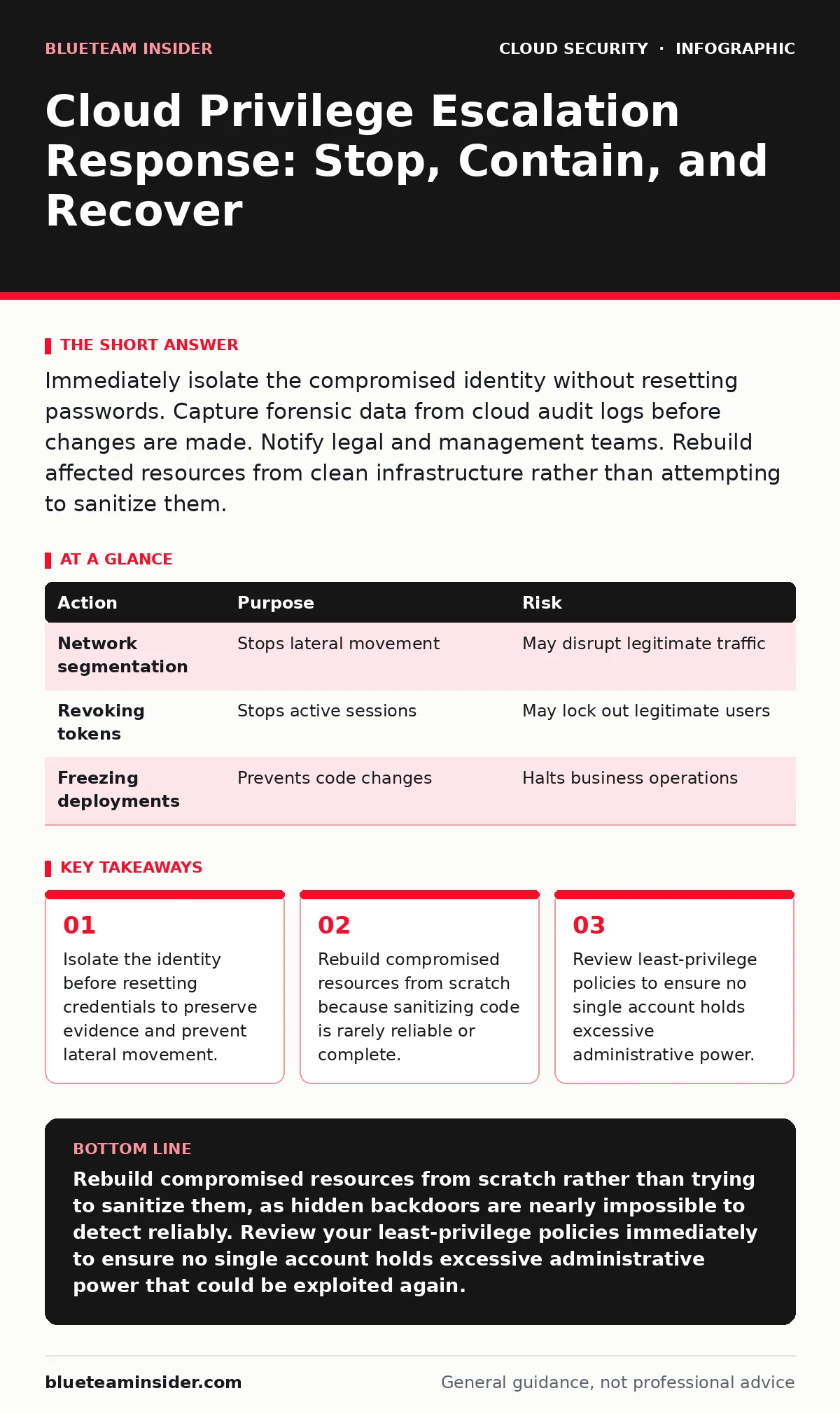
Immediately isolate the compromised identity without resetting passwords. Capture forensic data from cloud audit logs before changes are made. Notify legal and management teams. Rebuild affected resources from clean infrastructure rather than attempting to sanitize them.
First hour
An attacker has gained higher-level permissions in your cloud environment. This is called privilege escalation. They can now create resources, read data, or disable security controls. Your immediate goal is to stop the bleeding without destroying the evidence.
- Isolate the identity: Disable the compromised user or service account. This stops new actions but preserves existing sessions and logs.
- Capture state: Export cloud audit logs for the affected account. Look for API calls made in the last few minutes.
- Identify scope: Check which resources the account touched. Did it create new administrators? Did it modify network rules?
- Disable the compromised account
- Export recent audit logs
- List all resources created or modified by the account
- Notify the incident response team
First day
You have stopped the immediate action. Now you must understand the depth of the intrusion. The attacker likely moved laterally to other accounts or services. You need to map their path.
Review the audit logs you exported. Look for patterns. An attacker who escalates privileges often creates a new user with high permissions. They may also modify existing roles to grant themselves more power. Check for any changes to security groups or firewall rules. These changes allow the attacker to move freely within your network.
Imagine a scenario where the attacker created a new virtual machine with elevated rights. That machine is now a foothold. You must identify and stop it. Do not assume the initial account is the only problem. The attacker may have used that account to access other services.
Refer to your cloud incident response plan. It should outline the specific teams responsible for technical containment. Ensure everyone is working from the same timeline. Miscommunication here leads to gaps in containment.
Containment strategy
Containment is not just about blocking the attacker. It is about limiting the blast radius. You must separate the infected parts of your environment from the healthy ones.
| Action | Purpose | Risk |
|---|---|---|
| Network segmentation | Stops lateral movement | May disrupt legitimate traffic |
| Revoking tokens | Stops active sessions | May lock out legitimate users |
| Freezing deployments | Prevents code changes | Halts business operations |
Be careful with network segmentation. If you isolate too aggressively, you may block your own security tools from seeing what is happening. You need visibility to track the attacker. Balance security with observability.
Check for orphaned cloud resources. These are resources that have no owner. Attackers love them because they are often neglected and lack monitoring. If the attacker created any, they are likely still active and unmonitored.
Recovery process
Recovery is not about fixing the broken items. It is about replacing them. You cannot trust any system that the attacker touched. They may have installed rootkits or backdoors that are hard to detect.
Start by rebuilding from known-good images. Use infrastructure as code to define your desired state. This ensures that the new resources are configured correctly and securely. Do not manually configure servers. Manual configuration introduces human error and inconsistency.
If you use bring your own key encryption, you may need to rotate your encryption keys. The attacker could have accessed data encrypted with those keys. Rotating keys ensures that any data they stole remains unreadable to them. This is a critical step for data protection.
Who to tell
You must inform the right people at the right time. Delaying notification can worsen the legal and reputational impact.
- Internal teams: Notify engineering, security, and management. They need to know the scope and impact.
- Legal counsel: They will advise on regulatory requirements. You may need to notify customers or regulators.
- External partners: If the breach affects partners, you may need to inform them.
Do not share technical details publicly. Stick to high-level facts. Your goal is to maintain trust while protecting the investigation. Refer to your cloud audit logs to provide accurate information about what happened.
See also: Bot Management Misconceptions: What Cloud Security Teams Get Wrong · Cloud Detection and Response: 6 Misunderstandings That Leave You Exposed
How to stop a repeat
Once the immediate crisis is over, you must fix the root cause. Privilege escalation happens because of misconfigurations or excessive permissions.
Implement MFA for cloud accounts. This adds a layer of security that prevents attackers from using stolen credentials. Even if they have a password, they cannot access the account without the second factor.
Review your cloud landing zones. These are pre-configured environments that enforce security best practices. They help ensure that new resources are deployed securely. If your landing zones are weak, attackers can exploit them to gain access.
Long-term resilience
Security is not a one-time fix. It is a continuous process. You must constantly monitor and improve your defenses.
Conduct regular cloud security assessments. These assessments identify vulnerabilities and misconfigurations before attackers do. They help you stay ahead of threats.
Consider hybrid cloud security if you use multiple cloud providers. Each provider has different security models. You need a unified approach to manage security across all environments.
Final checks
Before you declare the incident over, perform a final review. Ensure all compromised resources have been replaced. Verify that all permissions have been reset to least privilege.
Check that all audit logs are being collected and stored securely. These logs are vital for future investigations. Ensure that your incident response plan has been updated based on lessons learned.
Key takeaways
- Isolate the identity before resetting credentials to preserve evidence and prevent lateral movement.
- Rebuild compromised resources from scratch because sanitizing code is rarely reliable or complete.
- Review least-privilege policies to ensure no single account holds excessive administrative power.
Rebuild compromised resources from scratch rather than trying to sanitize them, as hidden backdoors are nearly impossible to detect reliably. Review your least-privilege policies immediately to ensure no single account holds excessive administrative power that could be exploited again.
Frequently asked questions
How do I know if the attacker is still inside?
Check for unusual API calls and new user creations in your audit logs. If you see activity that does not match normal operations, assume the attacker is still present.
Should I disconnect the cloud environment from the internet?
Only if the attacker is actively exfiltrating data. Disconnecting may disrupt business operations and hinder your ability to monitor the attack. Use network segmentation instead.
How long should I keep audit logs?
Keep them for as long as required by your industry regulations. Longer retention helps with forensic investigations and compliance audits.
Can I trust the compromised account after resetting the password?
No. The attacker may have established persistence through other methods. You must assume the account is compromised until proven otherwise through thorough investigation.
How this guide was produced: written by the BlueTeam Insider editorial team with AI assistance, checked against the public references listed below, and reviewed when the facts change. See our editorial policy or report an error.