Infrastructure-as-Code Scanning: 5 Myths That Leave Clouds Exposed
Code scanners miss runtime configuration drift, meaning your secure templates often produce insecure, vulnerable cloud environments that bypass initial security checks.

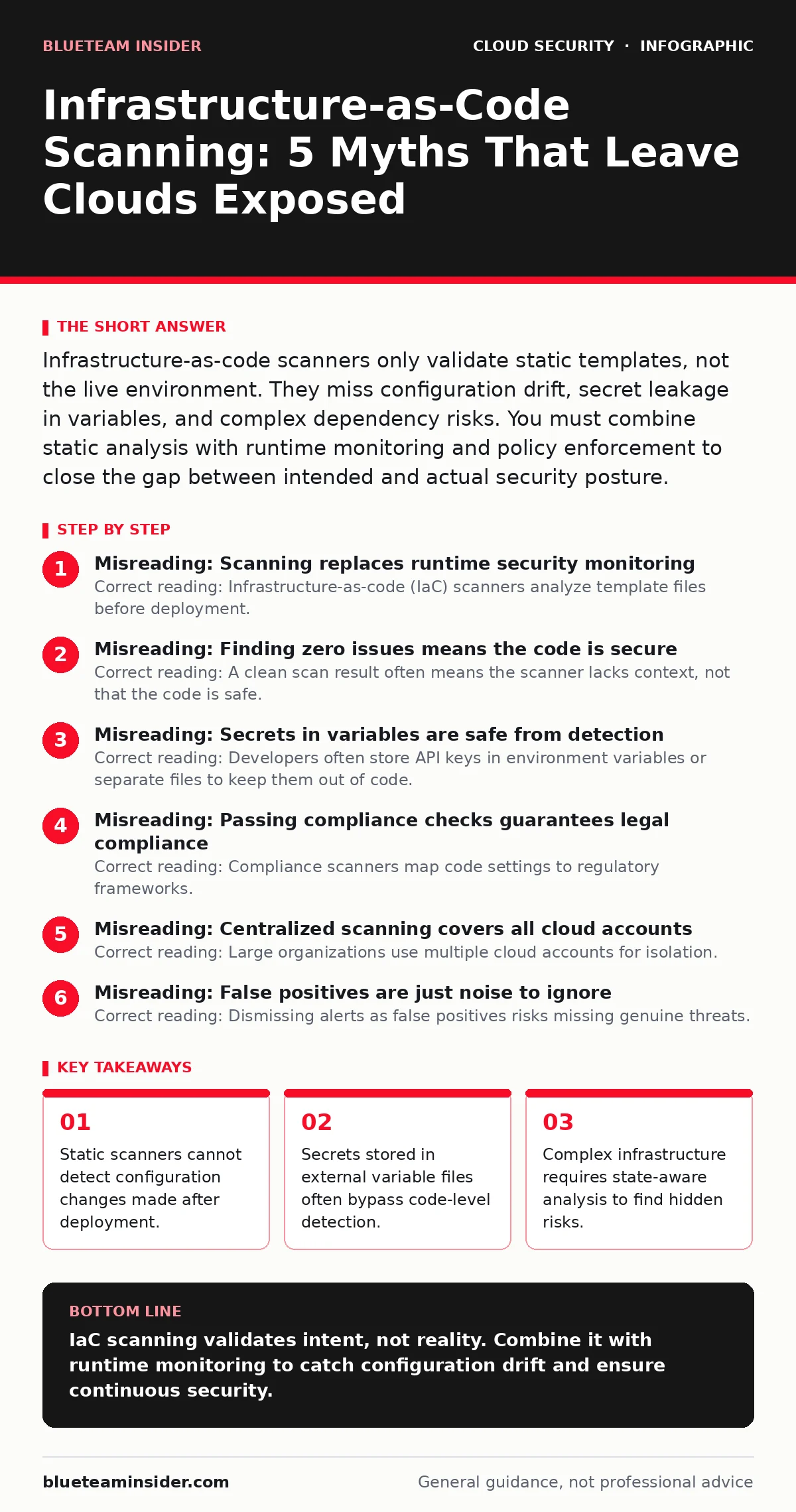
Infrastructure-as-code scanners only validate static templates, not the live environment. They miss configuration drift, secret leakage in variables, and complex dependency risks. You must combine static analysis with runtime monitoring and policy enforcement to close the gap between intended and actual security posture.
Misreading: Scanning replaces runtime security monitoring
Correct reading: Infrastructure-as-code (IaC) scanners analyze template files before deployment. They cannot see changes made to resources after they launch. Imagine a developer deploys a secure database template. Later, an administrator manually opens a port to the internet via the cloud console. The IaC scanner sees only the original secure template. It reports zero findings. The database remains exposed because the live configuration diverged from the code. This drift creates a false sense of security. You must pair IaC scanning with cloud detection and response tools that monitor live state.
Misreading: Finding zero issues means the code is secure
Correct reading: A clean scan result often means the scanner lacks context, not that the code is safe. Many scanners ignore custom resources or third-party modules. They also fail to detect logical flaws in network architecture. Suppose you define a complex VPC peering connection. The scanner checks individual resource settings. It does not evaluate whether the peering allows unauthorized traffic flow between tenants. You get a green light despite a logical bypass. Review scanner coverage limits. Test with known bad configurations to verify detection capabilities.
Misreading: Secrets in variables are safe from detection
Correct reading: Developers often store API keys in environment variables or separate files to keep them out of code. Scanners typically ignore these external files. They focus on the template syntax. Imagine you reference a password file in your deployment script. The scanner checks the script structure. It does not read the referenced file. The secret leaks into the repository history. Attackers harvest these files during repository cloning. Treat all input files as sensitive. Use dedicated secret management tools rather than relying on scanner exclusions.
Misreading: Passing compliance checks guarantees legal compliance
Correct reading: Compliance scanners map code settings to regulatory frameworks. They check for specific technical controls. They do not verify business logic or data handling practices. Suppose your scanner confirms encryption is enabled for storage. It passes a compliance check. However, you store unencrypted sensitive data in memory during processing. The scanner does not see this runtime behavior. You fail an audit despite passing automated checks. Understand that technical controls are necessary but insufficient. Combine scanning with manual review of data flows.
Misreading: Centralized scanning covers all cloud accounts
Correct reading: Large organizations use multiple cloud accounts for isolation. A centralized scanner might only scan the management account. It misses resources in production or development accounts. Imagine a developer creates a test environment in a separate account. They upload unscanned IaC templates. The central scanner never sees these templates. Vulnerable resources deploy without review. This fragmentation creates blind spots. Ensure scanning policies apply to all accounts. Use cloud landing zones to enforce consistent security baselines across the entire organization.
See also: Cloud Detection and Response: 6 Misunderstandings That Leave You Exposed · Detect Orphaned Cloud Resources: Logs, Signals and Blind Spots
Misreading: False positives are just noise to ignore
Correct reading: Dismissing alerts as false positives risks missing genuine threats. Many scanners flag high-risk settings by default. Developers often disable these rules to speed up deployment. Suppose a scanner flags a public S3 bucket. You assume it is false because the bucket contains logs. You disable the rule. Later, you store sensitive data in the same bucket. The scanner no longer alerts. The data leaks. Instead of disabling rules, refine them. Use context-aware policies that distinguish between public and private resources.
Misreading: Scanning only applies to cloud providers
Correct reading: Infrastructure-as-code extends to hybrid environments. You might define on-premise servers using the same tools. Scanners often focus on cloud-specific resources. They miss on-premise configuration errors. Suppose you define a virtual machine in a data center using Terraform. The scanner checks cloud resource settings. It ignores the VM's firewall rules. The server remains vulnerable. Extend scanning policies to cover all infrastructure types. Ensure your tools support multi-cloud and on-premise resources.
Misreading: Orphaned resources are always safe
Correct reading: Orphaned cloud resources often lack proper security policies. They remain connected to networks but have no owners. Imagine a developer deletes a project but forgets to remove associated storage buckets. These buckets become orphaned. They may retain default permissions. Attackers scan for these unmanaged resources. They find data without authentication. IaC scanners do not track resource lifecycle. They only check templates. You must implement automated cleanup policies. Monitor for orphaned cloud resources regularly.
Key takeaways
- Static scanners cannot detect configuration changes made after deployment.
- Secrets stored in external variable files often bypass code-level detection.
- Complex infrastructure requires state-aware analysis to find hidden risks.
IaC scanning validates intent, not reality. Combine it with runtime monitoring to catch configuration drift and ensure continuous security.
Frequently asked questions
Does infrastructure-as-code scanning detect malware in container images?
No, IaC scanners check configuration settings. Use separate container scanning tools to detect malware and vulnerabilities in images.
Can IaC scanning prevent cloud ransomware attacks?
Scanning reduces attack surface by enforcing secure configurations. It does not prevent ransomware if credentials are compromised. Combine with MFA for cloud accounts.
How often should I run IaC scans?
Run scans on every code commit. Integrate scanning into your CI/CD pipeline to catch issues before deployment.
Do I need different scanners for different cloud providers?
Most modern scanners support multiple providers. Ensure your tool covers all your cloud environments and on-premise infrastructure.
How this guide was produced: written by the BlueTeam Insider editorial team with AI assistance, checked against the public references listed below, and reviewed when the facts change. See our editorial policy or report an error.