Cloud Security Assessment Mistakes That Leave You Exposed
Most cloud audits fail because they treat infrastructure as static, missing the dynamic risks created by automated deployment pipelines.

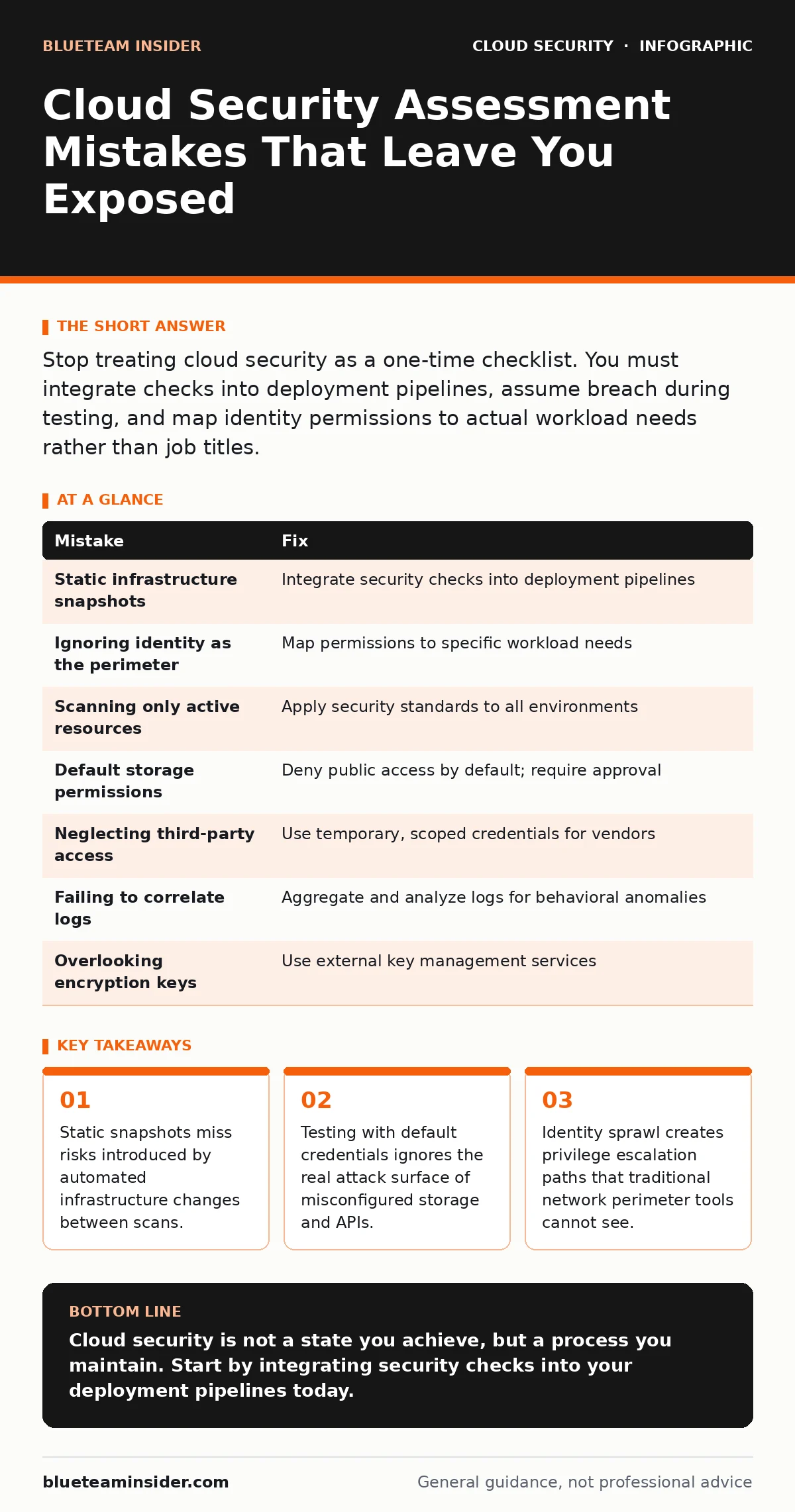
Stop treating cloud security as a one-time checklist. You must integrate checks into deployment pipelines, assume breach during testing, and map identity permissions to actual workload needs rather than job titles.
Mistake 1: Treating Infrastructure as Static
Most teams run a security assessment on a specific Tuesday morning. They take a snapshot of their cloud environment, scan for vulnerabilities, and file the report. By next week, developers have deployed new containers, spun up temporary databases, and adjusted firewall rules. The environment you assessed no longer exists.
Why it hurts:
Cloud infrastructure is ephemeral. Resources are created and destroyed automatically by orchestration tools. A security gap introduced on Wednesday is invisible to an assessment run on Tuesday. You are securing a ghost, not your actual production environment. This creates a false sense of safety while actual attacks exploit the drift between your last audit and current state.
The fix:
Shift your assessment left into the deployment pipeline. Use Infrastructure as Code scanning to check templates before they are applied. Integrate continuous compliance monitoring that evaluates resources as they are created, not after they are running. This ensures every new asset is validated against your security baseline before it becomes part of the production estate.
Mistake 2: Ignoring Identity as the Perimeter
Traditional security focuses on network borders: firewalls, IP whitelists, and virtual private clouds. In the cloud, the perimeter is identity. Users, service accounts, and applications access resources directly via APIs. If you only scan network configurations, you miss the primary entry point for attackers.
Why it hurts:
An attacker who compromises a single service account with excessive permissions can move laterally across your entire cloud estate. Network segmentation does not stop an identity-based attack. You might have perfect firewall rules, but if a developer account has administrative access to all storage buckets, your network defenses are irrelevant. This is the core mechanism behind many cloud privilege escalation incidents.
The fix:
Map every identity to the minimum permissions required for its specific function. Remove default administrative access from all user and service accounts. Implement just-in-time access for privileged operations, where elevated rights are granted temporarily for a specific task and then revoked. Regularly review access tokens and API keys to ensure they are still needed and properly scoped.
Mistake 3: Scanning Only Active Resources
Teams often focus their assessments on production workloads. They ignore development, staging, and sandbox environments. They assume these non-production areas are isolated or low value. This is a dangerous assumption that ignores the reality of shared cloud accounts and interconnected networks.
Why it hurts:
Attackers frequently target development environments because they are often less secure. Once inside, they harvest credentials, private keys, and code repositories. These assets can then be used to attack the more hardened production environment. A vulnerability in a test server can serve as a bridge to your critical data. See our guide on orphaned cloud resources to understand how unused assets accumulate risk over time.
The fix:
Apply the same security standards to non-production environments as you do to production. Use separate accounts or tenants for development and testing to contain potential breaches. Ensure that sensitive data is never replicated into test environments without masking or anonymization. Treat every environment as a potential attack surface.
Mistake 4: Relying on Default Storage Permissions
Cloud storage services often default to private access, but configuration errors are common. Teams frequently create storage buckets for logs, backups, or static assets. In the rush to deploy, they may leave these buckets publicly readable or writable to simplify access for applications or external partners.
Why it hurts:
A publicly writable storage bucket allows anyone on the internet to upload malicious files. These files can then be executed if the bucket is linked to a web server. Even if the bucket is only publicly readable, sensitive data leaks. This is a common vector for data exfiltration. For more on protecting stored data, review our recommendations on bring your own key encryption.
The fix:
Enforce a policy that denies all public access to storage buckets by default. Require explicit, reviewed approvals for any public-facing storage. Use access control lists to restrict access to specific IP ranges or application identities. Regularly scan for buckets that have been inadvertently made public due to configuration drift.
Mistake 5: Neglecting Third-Party Access
Your cloud environment is not just yours. It includes access for vendors, contractors, and managed service providers. These third parties often have broad access to perform their jobs. Teams frequently grant these accounts permanent, high-level privileges to avoid the friction of frequent re-authorization.
Why it hurts:
If a third-party vendor’s credentials are compromised, the attacker gains access to your environment. The attacker inherits the same high-level privileges. This expands your attack surface beyond your own employees. You lose visibility into actions taken by these external accounts, making detection of malicious activity difficult. This risk is amplified in hybrid cloud security models where external tools manage infrastructure.
The fix:
Use temporary, scoped credentials for all third-party access. Implement a break-glass procedure for emergency access that requires logging and justification. Monitor third-party activity with the same intensity as internal user activity. Regularly audit and revoke access for vendors who no longer require it.
See also: Bot Management Misconceptions: What Cloud Security Teams Get Wrong · Cloud Detection and Response: 6 Misunderstandings That Leave You Exposed
Mistake 6: Failing to Correlate Logs
Most cloud providers generate massive amounts of log data. Teams often collect these logs but fail to analyze them for anomalies. They treat log collection as a compliance checkbox rather than a security tool. Without correlation, individual log entries look like noise.
Why it hurts:
An attacker can hide their activity by making small, normal-looking changes. A single API call to read a file is harmless. But hundreds of read calls across different buckets in a short period indicate data scraping. Without correlating logs, you miss the pattern. This is why robust cloud audit logs are necessary for detecting advanced threats.
The fix:
Implement a security information and event management system to aggregate and analyze logs from all cloud services. Create alerts for behavioral anomalies, such as unusual login locations or rapid permission changes. Use machine learning tools to establish baselines of normal activity and flag deviations. Ensure logs are immutable and stored in a separate, secure location.
Mistake 7: Overlooking Encryption Keys
Encrypting data at rest is standard practice. However, managing the encryption keys is often an afterthought. Teams may rely on default cloud-managed keys without understanding the implications. If the cloud provider is compromised or if a legal hold freezes your account, you may lose access to your encrypted data.
Why it hurts:
You control the data, but the cloud provider controls the keys. This creates a dependency risk. If you need to migrate data or recover from a provider outage, you may face delays or inability to decrypt. This is a critical consideration for cloud ransomware scenarios, where attackers may target the management plane.
The fix:
Implement a key management strategy that gives you control over encryption keys. Use external key management services where you hold the master key. Ensure you have a disaster recovery plan for key management. Test your ability to decrypt data from backups regularly.
| Mistake | Fix |
|---|---|
| Static infrastructure snapshots | Integrate security checks into deployment pipelines |
| Ignoring identity as the perimeter | Map permissions to specific workload needs |
| Scanning only active resources | Apply security standards to all environments |
| Default storage permissions | Deny public access by default; require approval |
| Neglecting third-party access | Use temporary, scoped credentials for vendors |
| Failing to correlate logs | Aggregate and analyze logs for behavioral anomalies |
| Overlooking encryption keys | Use external key management services |
Key takeaways
- Static snapshots miss risks introduced by automated infrastructure changes between scans.
- Testing with default credentials ignores the real attack surface of misconfigured storage and APIs.
- Identity sprawl creates privilege escalation paths that traditional network perimeter tools cannot see.
Cloud security is not a state you achieve, but a process you maintain. Start by integrating security checks into your deployment pipelines today.
Frequently asked questions
How often should I run a cloud security assessment?
You should run automated assessments continuously as part of your deployment process. Manual, comprehensive assessments should occur at least quarterly or after major architecture changes.
Is it enough to scan for known vulnerabilities?
No. Vulnerability scanning misses misconfigurations and identity-based risks. You must also check for incorrect permissions, public storage, and anomalous behavior.
Do I need to secure development environments?
Yes. Development environments often contain the same credentials and code as production. They are frequent targets for attackers looking for an easy entry point.
How do I handle third-party vendor access?
Grant temporary, scoped access rather than permanent admin rights. Monitor their activity closely and revoke access immediately when the engagement ends.
How this guide was produced: written by the BlueTeam Insider editorial team with AI assistance, checked against the public references listed below, and reviewed when the facts change. See our editorial policy or report an error.