Vulnerability Scanning Best Practices for Accurate Risk Data
Most scanning errors stem from misconfigured scope and unverified false positives, turning security tools into noise generators that mask real threats.
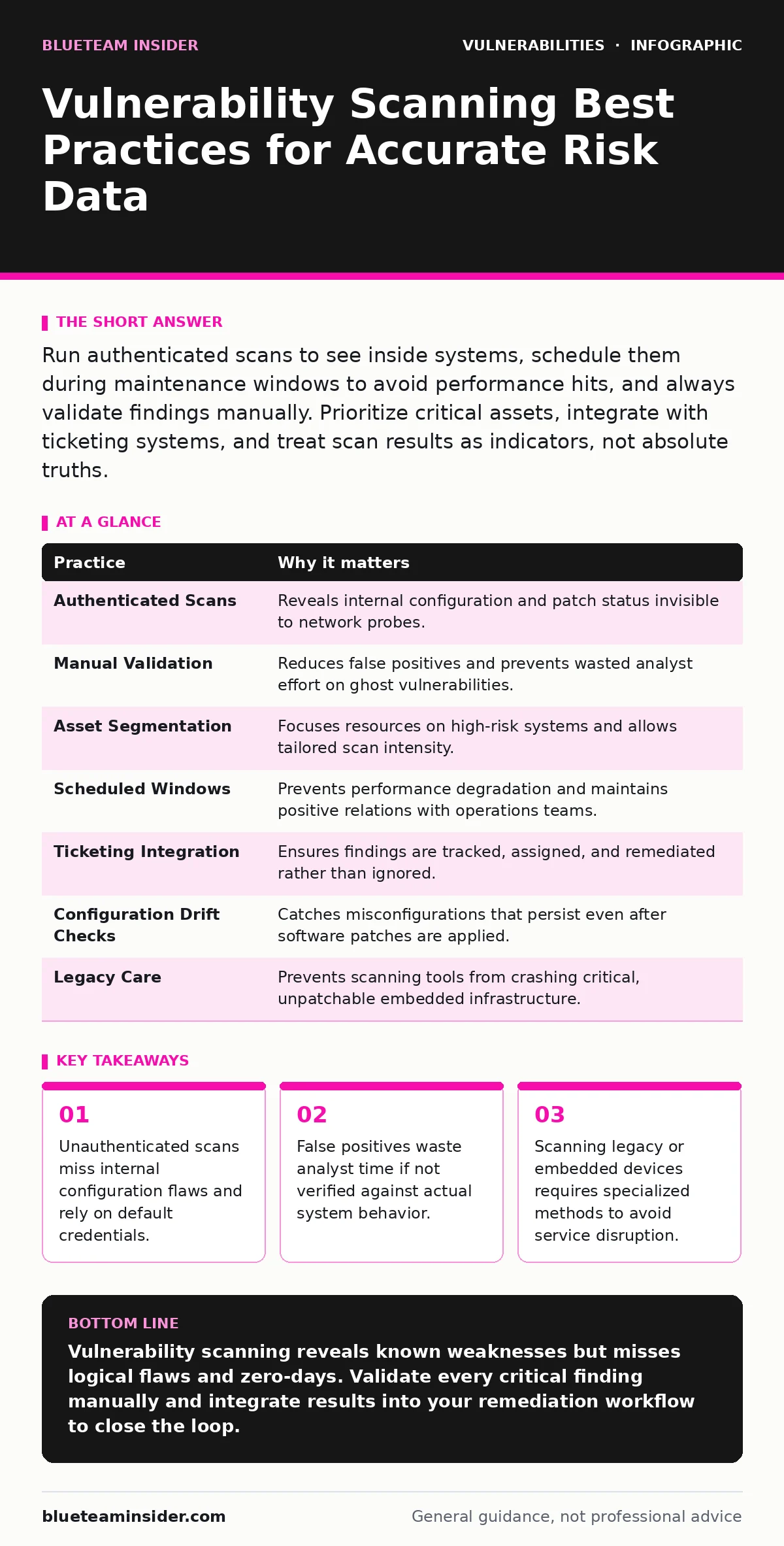
Run authenticated scans to see inside systems, schedule them during maintenance windows to avoid performance hits, and always validate findings manually. Prioritize critical assets, integrate with ticketing systems, and treat scan results as indicators, not absolute truths.
Why Your Scan Results Are Likely Incomplete
Vulnerability scanning identifies known weaknesses in your infrastructure by comparing system attributes against a database of signatures. Most teams assume a scan provides a complete picture of their security posture. This assumption is dangerous. Standard network scans only see what is exposed to the scanner. They cannot see inside a closed application or check for missing patches on a locked-down server.
Imagine a firewall that blocks all external traffic but has a misconfigured rule allowing internal lateral movement. An external scanner will report the system as secure. The risk remains hidden until an attacker is already inside. You must treat scan output as a starting point for investigation, not a final audit report.
1. Use Authenticated Scans for Depth
Network-based scans detect open ports and running services. They cannot verify if a specific patch is installed or if a configuration file is misconfigured. Authenticated scanning allows the tool to log in as a local user and inspect the system directly. This method reveals missing updates, weak file permissions, and insecure registry settings.
The trade-off is resource usage. Authenticated scans place more load on the target system. They also require you to manage credentials securely. If you store passwords in plain text for the scanner, you create a new vulnerability.
Tip: Create a dedicated service account with read-only administrative privileges for each domain or system group. Use this account for all authenticated scans to minimize risk and ensure consistent access.
2. Validate Findings Manually
Scanners operate on pattern matching. They look for strings, headers, or responses that resemble known vulnerabilities. This approach generates false positives. A banner might claim a server is running an old version, but the underlying code could be patched. Relying blindly on these reports leads to alert fatigue.
Analysts spend hours chasing ghosts instead of fixing real issues. This wasted effort reduces the team's ability to respond to actual incidents. You must verify high-severity findings before acting on them.
Tip: Pick one high-severity finding per week and reproduce it manually. Check the actual file version or configuration setting on the host. If the scanner is wrong, adjust your exclusion rules immediately.
3. Segment Scans by Asset Criticality
Not all systems carry the same risk. A public-facing web server requires different scanning frequency and depth than an internal printer. Treating all assets equally wastes resources on low-risk items while potentially missing critical updates on high-value targets.
Prioritizing assets helps you focus remediation efforts where they matter most. It also allows you to tailor scan intensity. You can run deep, intrusive scans on critical servers during maintenance windows. Low-priority devices can receive lighter, less frequent checks.
Tip: Tag assets in your inventory by business impact and exposure level. Configure your scanner to apply different policies based on these tags.
4. Schedule During Maintenance Windows
Scanning consumes network bandwidth and system CPU. A full authenticated scan on a busy production server can degrade performance. Users may experience slow load times or timeouts. This disruption causes friction between security and operations teams.
Operations teams may resist scanning if it impacts their service levels. This resistance leads to skipped scans or excluded critical systems. Coordination is key to maintaining both security and performance.
Tip: Align scan schedules with planned maintenance windows. If no window exists, limit scans to off-hours and reduce the depth of checks for critical production systems.
See also: Data Minimization Meaning: How Less Data Stops Breaches · Cyber Insurance Explained: How Coverage Works and What It Misses
5. Integrate with Ticketing Systems
Findings that sit in a PDF report are easily ignored. Integrating your scanner with your IT service management or ticketing system creates a direct path from detection to remediation. Each finding becomes a tracked task with an owner and a due date.
This integration provides visibility into remediation progress. You can see how long it takes to fix specific types of vulnerabilities. It also ensures accountability. No finding slips through the cracks because it is tied to a specific person or team.
Tip: Set up automatic ticket creation for critical and high-severity findings. Use severity levels in the ticketing system to match the scanner's risk rating.
6. Scan for Configuration Drift
Vulnerabilities are not just missing patches. Misconfigurations are often the root cause of breaches. A database might be patched, but if it allows remote root login, it is still vulnerable. Standard scans often focus heavily on software versions and miss configuration errors.
Configuration drift occurs when systems deviate from their secure baseline over time. Users change settings, applications add new ports, and administrators forget to lock down access. Regular scanning for configuration compliance catches these changes early.
Tip: Define a secure baseline for each system type. Include checks for disabled unnecessary services, strong password policies, and disabled default accounts. Run these checks weekly.
7. Handle Legacy and Embedded Systems Carefully
Older systems and embedded devices often run proprietary firmware. Standard scanners may not recognize these devices or may send packets that crash them. Aggressive scanning can take down a building's HVAC system or a manufacturing line controller.
These systems often cannot be patched easily. They require compensating controls. Scanning them requires a delicate touch. You need to identify what they are without overwhelming their limited resources.
Tip: Use passive scanning methods for legacy and embedded devices. Analyze network traffic to identify services without sending active probes. Isolate these devices on separate network segments.
| Practice | Why it matters |
|---|---|
| Authenticated Scans | Reveals internal configuration and patch status invisible to network probes. |
| Manual Validation | Reduces false positives and prevents wasted analyst effort on ghost vulnerabilities. |
| Asset Segmentation | Focuses resources on high-risk systems and allows tailored scan intensity. |
| Scheduled Windows | Prevents performance degradation and maintains positive relations with operations teams. |
| Ticketing Integration | Ensures findings are tracked, assigned, and remediated rather than ignored. |
| Configuration Drift Checks | Catches misconfigurations that persist even after software patches are applied. |
| Legacy Care | Prevents scanning tools from crashing critical, unpatchable embedded infrastructure. |
Beyond Standard Scanning
Vulnerability scanning is a foundational tool, but it has limits. It cannot detect logical flaws in application code or complex injection attacks. For those, you need different approaches. Understanding server-side template injection helps you recognize when an application processes user input as code. This is a logic flaw that scanners often miss.
Similarly, API vulnerabilities require specialized testing. Standard scanners may not understand the structure of your API endpoints. They might miss authentication bypasses or data exposure issues specific to API design.
When dealing with hardware, firmware vulnerabilities present unique challenges. You cannot simply patch a router like a server. You must wait for vendor updates or apply network-level controls. This connects to the broader issue of unpatched software, where business needs delay security updates.
For critical infrastructure, consider out-of-band patches. These are emergency fixes released outside the normal schedule. Your scanning process must be able to detect and validate these quickly.
Finally, the shift toward memory-safe programming languages reduces the risk of certain vulnerability classes, such as use-after-free vulnerabilities. While scanning cannot fix code, understanding these underlying weaknesses helps you prioritize which applications need deeper, manual review.
Some teams also overlook VPN appliance vulnerabilities. These devices sit at the edge of your network. If they are compromised, your entire internal network is exposed. Ensure your scanning scope includes these gateways and that they are configured securely.
Key takeaways
- Unauthenticated scans miss internal configuration flaws and rely on default credentials.
- False positives waste analyst time if not verified against actual system behavior.
- Scanning legacy or embedded devices requires specialized methods to avoid service disruption.
Vulnerability scanning reveals known weaknesses but misses logical flaws and zero-days. Validate every critical finding manually and integrate results into your remediation workflow to close the loop.
Frequently asked questions
How often should I run vulnerability scans?
Run authenticated scans weekly on critical systems and monthly on less critical assets. Perform ad-hoc scans after any significant change to the infrastructure.
Do I need separate scanners for cloud and on-premise?
No, but you need different configurations. Cloud assets often have dynamic IP addresses and ephemeral lifecycles. Configure your scanner to discover and tag cloud resources automatically.
Can vulnerability scanners detect malware?
No. Vulnerability scanners look for weaknesses in software and configuration. Antivirus and endpoint detection tools look for malicious behavior and known malware signatures.
How do I handle false positives in large environments?
Create an exclusion list for known false positives based on your environment. Review this list quarterly to ensure new patches or changes have not made those exclusions invalid.
How this guide was produced: written by the BlueTeam Insider editorial team with AI assistance, checked against the public references listed below, and reviewed when the facts change. See our editorial policy or report an error.