Warning Signs of Firmware Vulnerabilities You Cannot Ignore
Firmware flaws hide beneath the operating system, meaning standard security tools often fail to detect them until hardware behavior becomes erratic or unexplained.

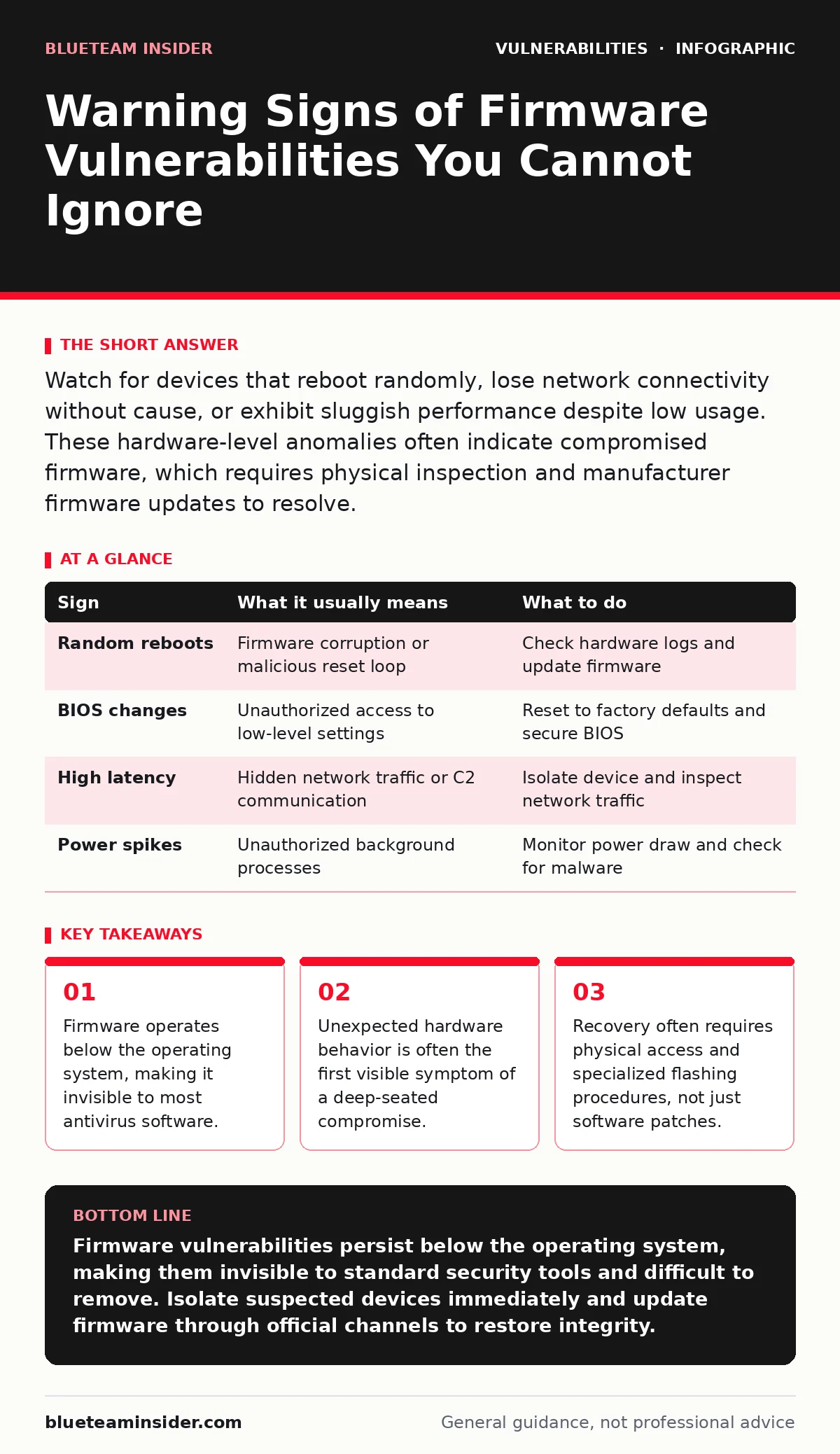
Watch for devices that reboot randomly, lose network connectivity without cause, or exhibit sluggish performance despite low usage. These hardware-level anomalies often indicate compromised firmware, which requires physical inspection and manufacturer firmware updates to resolve.
The Invisible Layer Beneath Your OS
Firmware is the low-level software embedded in hardware components like routers, network interface cards, and storage controllers. It initializes hardware before the operating system loads, giving it persistent control over device functions. Because it runs below the OS, traditional security tools cannot inspect it effectively. This creates a blind spot where attackers can establish long-term access without triggering standard alerts.
You might assume your system is safe because the operating system shows no signs of intrusion. However, a compromised firmware layer can manipulate data before it reaches the security software. This means logs may appear normal even while malicious activity occurs at the hardware level. Understanding this separation is key to recognizing when something is wrong.
Obvious Behavioral Anomalies
The first signs you notice are usually disruptions in normal device function. A router that drops connections repeatedly without any change in your environment is a red flag. Storage devices that suddenly report incorrect capacity or fail to mount correctly also signal trouble. These issues feel like hardware failure, but they can stem from corrupted or malicious firmware code.
Imagine you reboot your computer and the BIOS settings have changed without your input. This is a clear indicator that the firmware has been altered. Such changes often disable security features like Secure Boot, which verifies the integrity of the boot process. If you see settings revert or change unexpectedly, suspect a firmware-level issue rather than a simple glitch.
Subtle Indicators That Fly Under the Radar
Some signs are much harder to spot because they do not stop the device from working. You might notice slightly increased latency in network traffic that does not correlate with usage spikes. This could indicate a command-and-control channel embedded in the firmware, sending data out in small, frequent bursts. The device appears functional, but it is leaking information or waiting for instructions.
Another subtle sign is unexpected power consumption. A device that draws more power than usual when idle may be running unauthorized processes. This is particularly relevant for servers or always-on devices where baseline power usage is well understood. Deviations from this baseline can hint at hidden activity that standard monitoring tools miss.
| Sign | What it usually means | What to do |
|---|---|---|
| Random reboots | Firmware corruption or malicious reset loop | Check hardware logs and update firmware |
| BIOS changes | Unauthorized access to low-level settings | Reset to factory defaults and secure BIOS |
| High latency | Hidden network traffic or C2 communication | Isolate device and inspect network traffic |
| Power spikes | Unauthorized background processes | Monitor power draw and check for malware |
The Hidden Cost of Deep Compromise
Firmware vulnerabilities are difficult to remediate because they persist across operating system reinstalls. Even if you wipe the hard drive and install a fresh OS, the compromised firmware remains. This makes the device a persistent threat to any new software installed on it. The cost of cleaning such a device is high, often requiring specialized tools or replacement.
This persistence is why firmware security is critical for infrastructure devices. A compromised router can infect every device that connects to it. Similarly, a compromised network card can intercept traffic before encryption is applied. The damage extends beyond the single device, affecting the entire network environment.
Immediate Response Steps
When you suspect a firmware vulnerability, your first step is isolation. Disconnect the device from the network immediately to prevent further data exfiltration or lateral movement. Do not attempt to use the device for any critical tasks. Assume the device is compromised until proven otherwise.
Next, verify the firmware version against the manufacturer’s official list. If the version is outdated or unknown, plan for a firmware update. However, be cautious about downloading updates from untrusted sources, as these can be vectors for further compromise. Always use official channels for firmware files.
Physical Recovery and Verification
Recovering from a firmware compromise often requires physical access. You may need to use a serial console or a specialized flashing tool to restore the firmware. This process carries risks, as a failed flash can brick the device, rendering it unusable. Ensure you have the correct firmware file for your specific hardware model.
After updating, verify the integrity of the firmware using cryptographic hashes if available. This ensures the file has not been tampered with during download or installation. Once restored, monitor the device closely for any recurrence of the symptoms. Consider replacing the device if you cannot verify its integrity.
Preventing Future Intrusions
Prevention involves keeping firmware up to date and disabling unnecessary features. Many devices come with default credentials or open management ports that attackers exploit. Change default passwords and disable remote management unless absolutely necessary. Regularly check for firmware updates, even if the device appears to be working correctly.
Consider the security implications of devices with internet-facing firmware interfaces. These are prime targets for automated scans. If a device does not need direct internet access, place it behind a firewall or in a separate network segment. This limits the attack surface and reduces the risk of compromise.
Key takeaways
- Firmware operates below the operating system, making it invisible to most antivirus software.
- Unexpected hardware behavior is often the first visible symptom of a deep-seated compromise.
- Recovery often requires physical access and specialized flashing procedures, not just software patches.
Firmware vulnerabilities persist below the operating system, making them invisible to standard security tools and difficult to remove. Isolate suspected devices immediately and update firmware through official channels to restore integrity.
Frequently asked questions
Can antivirus software detect firmware malware?
No, because antivirus software runs within the operating system and cannot inspect code that operates at the hardware level.
How do I know if my firmware is outdated?
Check the manufacturer’s website for the latest version and compare it to the version currently installed on your device.
Is it safe to update firmware myself?
Yes, if you use official sources and follow the manufacturer’s instructions carefully, but be aware of the risk of bricking the device.
What is a firmware update?
It is a process that replaces the low-level software embedded in your hardware with a newer, often more secure version.
How this guide was produced: written by the BlueTeam Insider editorial team with AI assistance, checked against the public references listed below, and reviewed when the facts change. See our editorial policy or report an error.