Attack Surface Reduction Rules: 6 Misunderstandings Blocking Security
Attack surface reduction rules block execution paths rather than scanning files, shifting the defense model from detection to prevention of specific behaviors.
Attack surface reduction rules stop malicious behavior before it runs. They do not replace antivirus software. Misusing them causes application breaks. You must whitelist trusted paths. Tune rules gradually. Test in audit mode first. This prevents ransomware and other threats from executing, even if they bypass traditional signature checks.
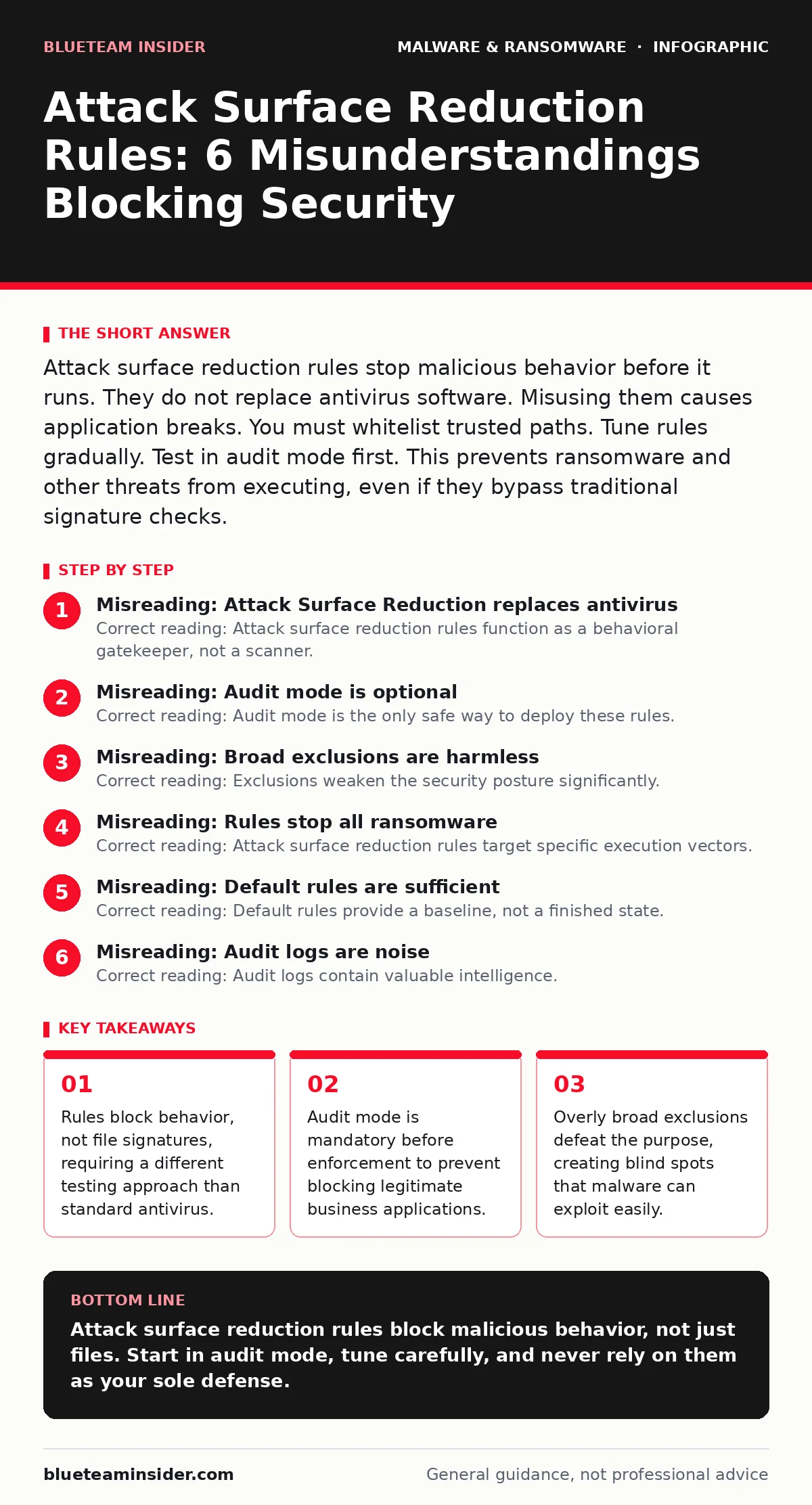
Misreading: Attack Surface Reduction replaces antivirus
Correct reading: Attack surface reduction rules function as a behavioral gatekeeper, not a scanner. Traditional antivirus software relies on signatures or heuristics to identify known bad files. Attack surface reduction rules define what actions are allowed, regardless of the file name. If a script tries to launch a compiler, the rule blocks it.
The file itself may be clean. This distinction matters because malware often arrives as a legitimate document or image. You still need next-generation antivirus for detection and cleanup. Attack surface reduction rules provide the prevention layer. They work together. One finds the threat. The other stops the action. Without both, you have gaps.
Misreading: Audit mode is optional
Correct reading: Audit mode is the only safe way to deploy these rules. When you enable a rule in audit mode, it logs violations without blocking them. This reveals which legitimate applications trigger false positives. Skipping this step causes immediate disruption. Users cannot run required tools. Support tickets spike. Productivity drops. You must review logs in audit mode for at least 30 days. Identify the applications causing alerts. Create specific exclusions for those paths. Only then switch to block mode. This process ensures you do not break business-critical workflows. It balances security with usability. Rushing to block mode is a common operational failure.
Misreading: Broad exclusions are harmless
Correct reading: Exclusions weaken the security posture significantly. Many administrators add entire directories to exclusions to stop alerts. This creates a large attack surface. Imagine a user downloads a malicious file into an excluded folder. The rules ignore it. The malware runs freely. You have effectively disabled protection for that area.
Exclusions must be specific. Use exact file paths for trusted applications. Avoid excluding broad system folders. Review exclusions regularly. Remove any that are no longer needed. Each exclusion is a potential entry point. Malware authors target excluded directories. Keep the exclusion list minimal and justified. Document every exclusion with a business reason.
Misreading: Rules stop all ransomware
Correct reading: Attack surface reduction rules target specific execution vectors. They do not stop every form of malware. Ransomware often uses PowerShell, Windows Management Instrumentation, or Office macros. Rules can block these behaviors. However, some malware uses techniques not covered by default rules. Custom malware may bypass standard controls.
You need a layered defense. Include endpoint detection and response. Monitor for unusual file changes. Use application control. Attack surface reduction rules are a strong layer, but not the only one. They reduce the likelihood of infection. They do not guarantee immunity. Combine them with user training and network segmentation. This creates a deeper defense. Reliance on a single control is risky.
Misreading: Default rules are sufficient
Correct reading: Default rules provide a baseline, not a finished state. They cover common attack patterns. They do not account for your specific environment. Your organization may use unique applications. These applications may trigger false positives. You must tailor rules to your needs. Add exclusions for internal tools. Enable additional rules if your risk profile requires it.
Test each change. Monitor for new alerts. Adjust as needed. The configuration is iterative. It requires ongoing maintenance. Do not set it and forget it. Review logs weekly. Update rules as new threats emerge. This keeps the defense current. Static configurations become outdated. Active management ensures continued effectiveness. Tailoring prevents unnecessary blocking. It also closes gaps left by defaults.
See also: Recovery Point Objective vs Recovery Time Objective: The Real Cost of Data Loss
Misreading: Audit logs are noise
Correct reading: Audit logs contain valuable intelligence. They show attempted attacks and misconfigurations. Ignoring them wastes a key resource. Review logs to identify trends. Spot repeated violations from specific sources. Detect new attack patterns. Use this data to refine rules. It also helps in incident response. Logs provide a timeline of events.
They show what the malware tried to do. This aids in forensic analysis. Do not dismiss logs as clutter. Filter for high-severity events. Automate alerting for critical violations. This ensures you see important issues. Logs connect the dots. They reveal the full scope of an attack. Proper log management is part of the strategy. It turns raw data into actionable insights.
Misreading: Rules only protect Windows
Correct reading: Attack surface reduction rules are specific to Windows 10 and 11 Pro and Enterprise editions. They do not apply to other operating systems. Linux malware requires different controls. Use application whitelisting on Linux. Configure strict file permissions. Monitor for unusual process behavior. Android malware also needs separate strategies.
Use verified app stores. Enable security features provided by the OS. Understand that each platform has its own threat model. Do not assume controls transfer across systems. Evaluate each environment independently. Apply appropriate measures for each. This ensures comprehensive coverage. It prevents gaps in multi-platform environments. Tailor your defense to the OS. One size does not fit all.
RELATED TOPICS:
For deeper insights on related threats, see our guides on scareware and clipboard hijackers. Understanding these vectors helps you appreciate why behavioral blocking is necessary. Also review our section on point-of-sale malware for industry-specific risks.
Key takeaways
- Rules block behavior, not file signatures, requiring a different testing approach than standard antivirus.
- Audit mode is mandatory before enforcement to prevent blocking legitimate business applications.
- Overly broad exclusions defeat the purpose, creating blind spots that malware can exploit easily.
Attack surface reduction rules block malicious behavior, not just files. Start in audit mode, tune carefully, and never rely on them as your sole defense.
Frequently asked questions
Do attack surface reduction rules slow down my computer?
No, they have minimal performance impact. They check actions, not file content. This is faster than deep scanning. You may notice slight delays when starting new applications. This is rare and usually negligible. The security benefit outweighs the minor overhead.
Can malware disable attack surface reduction rules?
Only if the user has administrative privileges. Standard users cannot change these settings. This is why least privilege is critical. If an admin account is compromised, malware can disable rules. Protect admin accounts with multi-factor authentication. Limit admin rights to dedicated machines. This prevents attackers from turning off your defenses.
How do I know if a rule is working?
Check the audit logs. Look for blocked or audited events. If you see violations, the rule is active. If you see none, ensure the rule is enabled. Also test with a safe, known malicious file. Verify that the rule blocks it. Regular testing confirms effectiveness. Do not assume it works without verification.
Are attack surface reduction rules free?
Yes, they are included in Windows 10 and 11 Pro and Enterprise. No additional cost is required. You just need to enable them. Configuration requires time and expertise. This is the main investment. Some third-party tools help manage them. These may cost money. But the core feature is built-in. You do not need to buy extra software.
How this guide was produced: written by the BlueTeam Insider editorial team with AI assistance, checked against the public references listed below, and reviewed when the facts change. See our editorial policy or report an error.