What Is Computer Worms: How They Spread and How to Stop Them
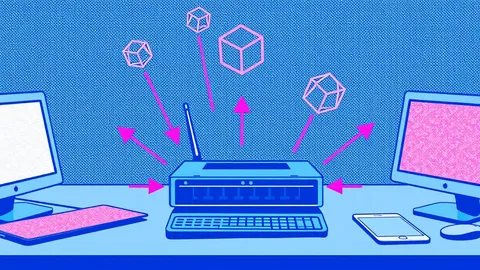
Computer worms replicate without human action, turning every connected device into a potential launchpad for further infection across your network.

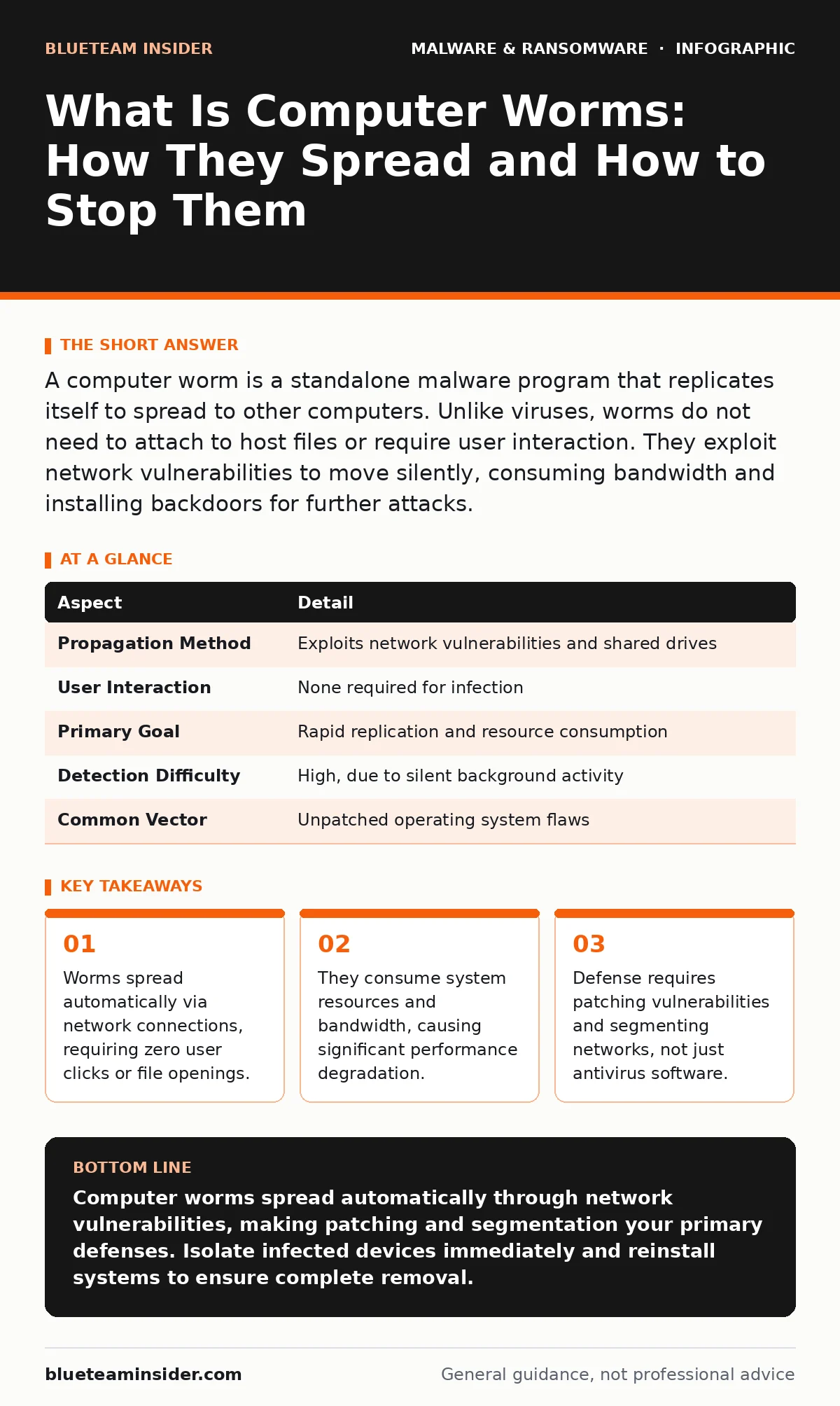
A computer worm is a standalone malware program that replicates itself to spread to other computers. Unlike viruses, worms do not need to attach to host files or require user interaction. They exploit network vulnerabilities to move silently, consuming bandwidth and installing backdoors for further attacks.
The Postcard Analogy for Self-Replicating Code
Imagine a postcard that prints copies of itself and mails them to every address in its database. You never asked for these copies, and you never opened an envelope to receive them. They simply arrive, fill your mailbox, and send more copies to new addresses. This is the core mechanic of a computer worm. It operates independently, seeking out new targets through digital channels rather than waiting for a human to deliver it.
The analogy highlights the autonomy of the threat. A standard virus is like a letter inside an envelope; you must open the envelope (execute the file) to read the message (trigger the payload). A worm is the postcard itself. It travels on its own momentum. Understanding this distinction is the first step in recognizing why traditional security habits often fail against this specific threat vector.
At a Glance: Worm Characteristics
| Aspect | Detail |
|---|---|
| Propagation Method | Exploits network vulnerabilities and shared drives |
| User Interaction | None required for infection |
| Primary Goal | Rapid replication and resource consumption |
| Detection Difficulty | High, due to silent background activity |
| Common Vector | Unpatched operating system flaws |
What Is Computer Worms and How They Operate
What is computer worms? They are malicious programs designed to exploit security holes in software to copy themselves from one computer to another over a network. The mechanism relies on scanning for open ports or unpatched systems. Once a vulnerability is found, the worm injects its code into the target machine. It then uses that machine as a base to scan for more victims.
This process creates a chain reaction. The worm does not need a human to click a link or download a file. It moves laterally through the network, often hiding its activity within normal traffic patterns. The speed of this replication is its defining feature. Within minutes, a single infected machine can lead to hundreds of compromised systems. This rapid expansion overwhelms network infrastructure before administrators can react.
Who It Affects and the Hidden Costs
Worms target any device connected to a network. This includes personal computers, servers, industrial control systems, and even smart appliances. The impact is not limited to data theft. The primary cost is resource exhaustion. As worms replicate, they consume CPU cycles, memory, and network bandwidth. This leads to slow system performance and network congestion.
Imagine a small office where a worm infects one workstation. Within an hour, every device on the local network is scanning for new targets. The internet connection becomes unusable for legitimate work. Employees cannot send emails or access cloud services. The business loses productivity, not because data was stolen, but because the network is choked by automated traffic. This disruption is often more damaging than the malware itself.
What People Usually Get Wrong
Many users believe that avoiding suspicious email attachments protects them from worms. This is a common misconception. Since worms do not require user interaction, ignoring emails does not stop them. They enter through unpatched software vulnerabilities, not through user error. Relying solely on user awareness leaves a critical gap in your defense strategy.
Another mistake is assuming antivirus software provides complete protection. Traditional antivirus engines scan files on disk. Worms often reside in memory and execute directly from network traffic. They may not drop a file until it is too late. This is why next-generation antivirus solutions, which monitor behavior rather than just file signatures, are more effective. However, even advanced software cannot patch the underlying vulnerability that lets the worm in.
See also: Network Segmentation: How to Partition and Protect Your Data · Packet Capture Analysis: How to Read Network Traffic
The Role of Patching and Segmentation
The most effective defense against worms is timely patching. Vendors release updates to fix the security holes worms exploit. Delaying these updates leaves the door open. You must apply security patches to operating systems, applications, and firmware as soon as they are available. This closes the entry point before the worm can scan for it.
Network segmentation is equally critical. By dividing your network into smaller zones, you limit the worm's reach. If a worm infects one segment, it cannot easily jump to others. This containment strategy buys time for detection and response. It prevents a single infection from becoming a total network outage. Think of it as firewalls within your own building, stopping a fire from spreading to every room.
Beyond Antivirus: Layered Defense Strategies
Relying on a single security tool is insufficient. Worms evolve to bypass traditional detection methods. You need a layered approach. This includes firewalls to block unauthorized network traffic, intrusion detection systems to monitor for suspicious scanning activity, and endpoint detection and response tools to isolate infected machines.
Consider attack surface reduction rules to limit the ability of applications to execute code unexpectedly. This restricts the worm's ability to run even if it enters the system. Additionally, review your recovery point objective to ensure you can restore systems quickly after an incident. While worms rarely encrypt data like ransomware, they can corrupt files during replication. Having recent backups ensures you can rebuild without losing critical information.
Handling Related Threat Vectors
Worms often work in tandem with other malware types. After establishing a foothold, a worm may download additional payloads. These could include banking trojans to steal credentials or ransomware decryption tools to lock files. Understanding this relationship helps you prepare for secondary attacks. A worm is rarely the end goal; it is the delivery mechanism.
Be cautious of malware in pirated software. Cracked applications often contain worms designed to exploit the very vulnerabilities the crack bypasses. Using legitimate software reduces this risk significantly. Similarly, Android malware can include worm-like components that spread via Bluetooth or local networks. Mobile devices are not immune to this threat. Treat them with the same security rigor as desktop computers.
Immediate Steps for Suspected Infection
If you suspect a worm infection, act immediately. Disconnect the affected device from the network. This stops the worm from spreading to other machines. Do not attempt to clean the device while it is connected. Use a separate, clean machine to report the incident.
Run a full system scan using updated security software. However, assume the infection is deep. Reinstalling the operating system from a clean source is often the safest option. This ensures no remnants of the worm remain. After cleaning, update all software on the device before reconnecting it to the network. This closes the vulnerability the worm exploited.
Key takeaways
- Worms spread automatically via network connections, requiring zero user clicks or file openings.
- They consume system resources and bandwidth, causing significant performance degradation.
- Defense requires patching vulnerabilities and segmenting networks, not just antivirus software.
Computer worms spread automatically through network vulnerabilities, making patching and segmentation your primary defenses. Isolate infected devices immediately and reinstall systems to ensure complete removal.
Frequently asked questions
Can a computer worm delete files?
Yes, some worms are designed to corrupt or delete data during their replication process. Others may install additional malware that performs these actions.
Do worms steal personal information?
Worms themselves primarily focus on replication and resource consumption. However, they often create backdoors that allow attackers to install spyware or trojans that steal data.
How do I know if my network has a worm?
Look for slow network performance, high CPU usage on multiple devices, and unusual outbound traffic patterns. Intrusion detection systems can also alert you to scanning activity.
Are mobile devices vulnerable to worms?
Yes, mobile worms can spread via Bluetooth, Wi-Fi, or SMS. Keeping your operating system updated and avoiding unknown apps reduces this risk.
How this guide was produced: written by the BlueTeam Insider editorial team with AI assistance, checked against the public references listed below, and reviewed when the facts change. See our editorial policy or report an error.