Man-in-the-Middle Attacks: 5 Myths That Leave You Vulnerable
Most users believe encryption prevents interception, but misconfigured trust and certificate errors allow attackers to read your data in plain sight.

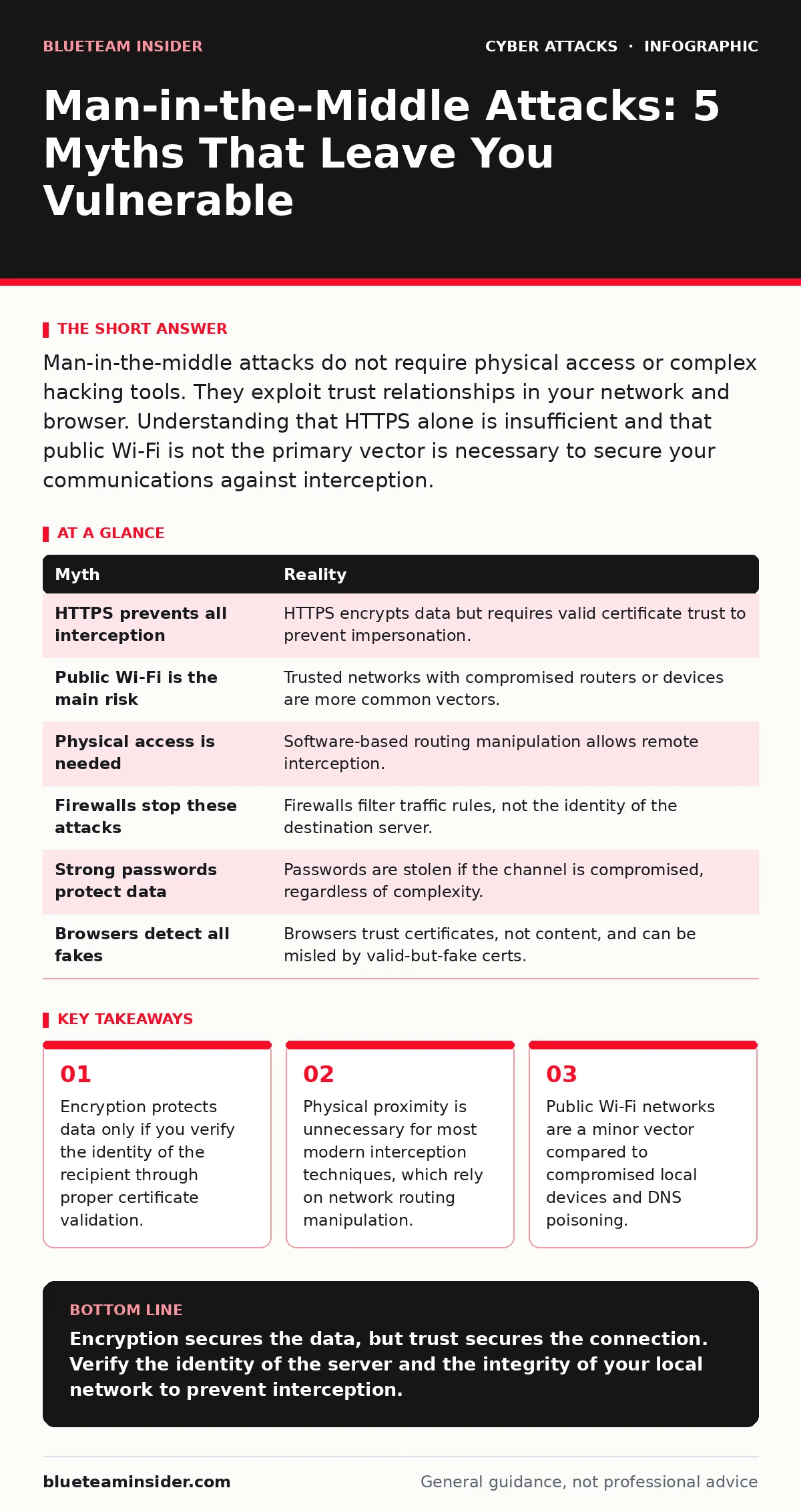
Man-in-the-middle attacks do not require physical access or complex hacking tools. They exploit trust relationships in your network and browser. Understanding that HTTPS alone is insufficient and that public Wi-Fi is not the primary vector is necessary to secure your communications against interception.
Myth: HTTPS Makes Communication Unhackable
Reality: Transport Layer Security (TLS) encrypts data between your device and a server, but it does not verify who you are talking to unless you check the certificate chain. An attacker can insert themselves into the connection if your device trusts a fraudulent certificate authority. This often happens when malware installs a root certificate on your system, allowing the attacker to decrypt and re-encrypt traffic seamlessly. You see the padlock icon, but the connection is actually passing through a middleman. The encryption works perfectly; the trust model has failed.
Imagine you are sending a sealed letter. HTTPS ensures the envelope is locked. It does not ensure the post office clerk is not swapping your letter for one they wrote. If the clerk presents a fake badge that your system accepts as valid, you hand over the sealed envelope willingly. The data remains encrypted during transit, but the attacker holds the key to unlock it at their end before forwarding it to the real server.
Myth: You Need to Be on Public Wi-Fi to Be Intercepted
Reality: While open networks are easy targets, they are not the most common entry point for sophisticated interception. Most man-in-the-middle attacks occur on trusted networks, including home Wi-Fi or corporate intranets, where the attacker has already gained some level of access. Once an attacker controls a router or a device on your local network, they can manipulate traffic regardless of whether the network was originally password-protected. The assumption that a password-protected network is safe ignores the risk of internal compromise.
Suppose your home router firmware is outdated and contains a known vulnerability. An attacker on the same network can exploit this flaw to become the default gateway for your devices. Your phone and laptop will send all traffic to the attacker’s machine before it leaves your house. This happens without any public access points or open cafes. The threat comes from the device that manages your network, not the network type itself.
Myth: Physical Proximity Is Required for the Attack
Reality: Early interception techniques, such as using a hardware dongle on a physical network cable, required physical access. Modern attacks primarily use software-based methods that can be executed from anywhere on the internet. Techniques like DNS cache poisoning or BGP hijacking allow attackers to redirect traffic through their servers without ever touching your physical infrastructure. The distance between you and the attacker is irrelevant if they control the routing instructions your internet service provider follows.
Consider a scenario where an attacker compromises a server that handles Domain Name System (DNS) lookups for your region. When you type a website address, the DNS server tells your browser which IP address to connect to. If the attacker changes this record, your browser connects to their server instead of the real one. This redirection happens at the network level, far removed from your physical location. You do not need to share an office or a coffee shop with the attacker.
Myth: Firewalls Block Man-in-the-Middle Attacks
Reality: Firewalls are designed to filter traffic based on IP addresses, ports, and protocols. They are not designed to inspect the content or integrity of encrypted streams for identity fraud. A firewall will allow traffic to pass if it matches the allowed rules, even if that traffic is destined for a fraudulent server impersonating a legitimate one. The firewall sees a valid outbound connection and permits it. It cannot distinguish between a real server and a fake one that looks identical at the packet level.
Imagine a security guard at a building entrance checking IDs. The guard ensures everyone has a valid badge. They do not read the letters people are carrying. If an attacker forges a badge that looks valid, the guard lets them in. The firewall is the guard. It checks the format of the connection, not the truth of the destination. Relying solely on perimeter defense leaves the content of your communications exposed to interception.
Myth: Strong Passwords Prevent Interception
Reality: Passwords authenticate your identity to a service, but they do not protect the channel through which you send them. If an attacker intercepts the communication channel, they can capture the password in transit before it reaches the authentication server. Even if the password is complex, its value is compromised the moment it is sent over an unverified connection. Authentication and transport security are separate layers of defense.
Suppose you use a twenty-character password with symbols and numbers. This makes it difficult for an attacker to guess your password through brute force. However, if you log in to a website that has been hijacked via a man-in-the-middle attack, you send that strong password directly to the attacker. The strength of the password is irrelevant because the attacker does not need to guess it; they simply read it from the intercepted data stream. The credential is stolen, not cracked.
See also: Network Segmentation: How to Partition and Protect Your Data · Packet Capture Analysis: How to Read Network Traffic
Myth: Browsers Automatically Detect All Impersonation
Reality: Browsers rely on certificate authorities to validate websites. If a certificate is issued by a trusted authority, the browser assumes the site is legitimate, even if the content is malicious. Browsers do not analyze the behavior of the website or the intent of the server. They only check the cryptographic signature. If an attacker obtains a valid certificate for a domain that looks similar to a real one, or if they exploit a vulnerability in the certificate validation process, the browser will show no warning.
Imagine a website called "bankofamerica-secure.com" that has a valid SSL certificate. The browser sees the valid certificate and displays the green padlock. It does not know that the domain is a look-alike designed to steal credentials. The validation is mechanical, not contextual. You must visually verify the domain name, as the browser’s security indicators can be misled by technical compliance rather than actual safety.
| Myth | Reality |
|---|---|
| HTTPS prevents all interception | HTTPS encrypts data but requires valid certificate trust to prevent impersonation. |
| Public Wi-Fi is the main risk | Trusted networks with compromised routers or devices are more common vectors. |
| Physical access is needed | Software-based routing manipulation allows remote interception. |
| Firewalls stop these attacks | Firewalls filter traffic rules, not the identity of the destination server. |
| Strong passwords protect data | Passwords are stolen if the channel is compromised, regardless of complexity. |
| Browsers detect all fakes | Browsers trust certificates, not content, and can be misled by valid-but-fake certs. |
Key takeaways
- Encryption protects data only if you verify the identity of the recipient through proper certificate validation.
- Physical proximity is unnecessary for most modern interception techniques, which rely on network routing manipulation.
- Public Wi-Fi networks are a minor vector compared to compromised local devices and DNS poisoning.
Encryption secures the data, but trust secures the connection. Verify the identity of the server and the integrity of your local network to prevent interception.
Frequently asked questions
Can a VPN prevent man-in-the-middle attacks?
A VPN encrypts traffic between your device and the VPN server, hiding it from local network observers. However, if the VPN provider is compromised or if the attacker is between the VPN server and the final destination, interception can still occur.
What is DNS poisoning and how does it relate to this?
DNS poisoning corrupts the cache that translates domain names to IP addresses. This redirects your traffic to a fraudulent server controlled by the attacker, enabling a man-in-the-middle attack without your knowledge.
Should I avoid all public Wi-Fi networks?
You should treat public Wi-Fi as untrusted. Avoid performing sensitive transactions on these networks. Using a mobile data connection or a trusted VPN is safer, but verifying the destination server remains critical.
How do I know if my device has a rogue certificate?
Check your system’s certificate store for unknown root certificates. If you find certificates you did not install yourself, they may allow malware to decrypt your traffic. Remove them immediately if possible.
How this guide was produced: written by the BlueTeam Insider editorial team with AI assistance, checked against the public references listed below, and reviewed when the facts change. See our editorial policy or report an error.