Unpatched Software Myths: Why Common Beliefs Fail to Protect You
Correct common misconceptions about unpatched software to build a defense strategy that actually reduces your exposure to known exploits.

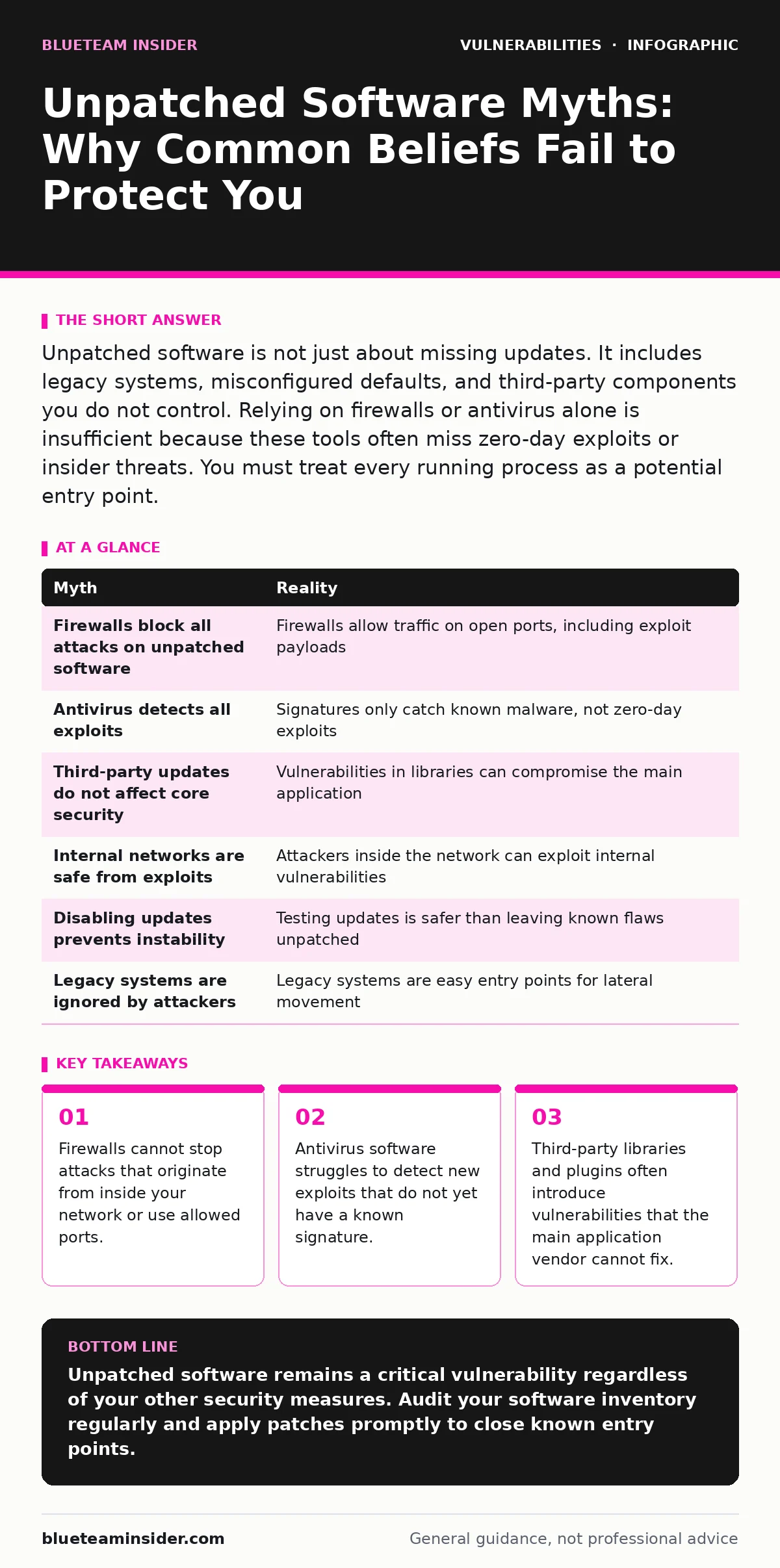
Unpatched software is not just about missing updates. It includes legacy systems, misconfigured defaults, and third-party components you do not control. Relying on firewalls or antivirus alone is insufficient because these tools often miss zero-day exploits or insider threats. You must treat every running process as a potential entry point.
Myth: A Firewall Blocks Attacks on Unpatched Software
Reality: A firewall filters network traffic based on rules you define, but it does not inspect the content of every packet for malicious intent. If an attacker uses a port that you have already opened for legitimate business traffic, the firewall allows the connection. The attack payload then reaches your unpatched application directly.
Imagine you run a web server that listens on standard ports. An attacker sends a request that triggers a buffer overflow in your outdated web server software. The firewall sees this as normal HTTP traffic and lets it pass. The vulnerability in the software executes the code. Your perimeter defense was never designed to catch this specific logic error.
Firewalls are excellent at controlling access, but they are not application-aware in the way you might hope. They check the envelope, not the letter inside. You cannot rely on them to sanitize malformed data sent to vulnerable applications.
Myth: Antivirus Software Detects All Exploits
Reality: Traditional antivirus tools rely on signatures, which are digital fingerprints of known malware. If an exploit is new, it does not have a signature yet. This is known as a zero-day attack. The antivirus software has no reference to compare the malicious code against, so it allows the execution.
Even modern heuristic engines, which try to predict malicious behavior, have limits. They look for suspicious patterns, but sophisticated attackers can obfuscate their code to look like normal system processes. If the exploit does not trigger a heuristic alert, it runs freely on your machine.
You might think your endpoint protection is a safety net. It is not. It is a filter that catches known trash. New threats slip through until the vendor creates a new signature. This delay can last days or weeks, leaving your unpatched software exposed during the window of vulnerability.
Myth: Third-Party Updates Do Not Affect My Core Security
Reality: Most modern applications are built using libraries and components from other vendors. When you update your main application, you often do not update these underlying dependencies. A vulnerability in a small, obscure library can compromise the entire main application.
Suppose you use a content management system. The core system receives regular security patches. However, it relies on a JavaScript library for rendering images. That library has a known flaw that allows remote code execution. Even if your core system is fully patched, the flaw in the library remains.
Attackers scan for these specific library versions. They do not need to break into the main application directly. They exploit the component that the application trusts. You are responsible for the security of every piece of software running in your environment, including the invisible dependencies.
Myth: Internal Networks Are Safe from Exploits
Reality: Many organizations believe that once traffic crosses the firewall, it is safe. This is a dangerous assumption. Attackers often gain initial access through phishing or compromised credentials. Once inside, they move laterally through the internal network.
Unpatched software on internal servers is highly visible to an attacker who has already breached the perimeter. Internal firewalls and network segmentation can slow them down, but they do not stop the exploitation of vulnerable services. If an internal server has an unpatched web interface, the attacker can exploit it just as easily as an external user could.
Imagine an employee clicks a malicious link on their laptop. The malware now resides inside your network. It scans for other devices with known vulnerabilities. It finds an unpatched database server on the internal network. It exploits the flaw and exfiltrates data. The external firewall never even saw the attack traffic.
Myth: Disabling Updates Prevents System Instability
Reality: Some administrators disable automatic updates because past updates caused compatibility issues. This practice leaves the system exposed to known vulnerabilities indefinitely. The risk of a system crash is generally lower than the risk of a successful cyberattack.
Updates often include security patches that fix critical flaws. By disabling them, you are choosing to keep the door open. You can mitigate stability risks by testing updates in a isolated environment before deploying them to production. This approach allows you to catch compatibility issues without leaving your live systems vulnerable.
Suppose a critical security patch is released for your operating system. You delay installation for months to avoid potential downtime. During this time, attackers are actively scanning for systems that have not applied the patch. Your system becomes an easy target. The inconvenience of a reboot is minor compared to the cost of a breach.
See also: What Is Computer Worms: How They Spread and How to Stop Them · How Out-of-Band Patches Work: Mechanisms, Risks, and Application
Myth: Legacy Systems Are Too Old to Be Targeted
Reality: Attackers often target legacy systems because they are less likely to be monitored or patched. These systems may run outdated operating systems or applications that are no longer supported by the vendor. Without vendor support, there are no new security patches available.
These systems are often connected to modern networks for compatibility reasons. This creates a bridge for attackers to move from the legacy system to newer, more valuable assets. The legacy system acts as a foothold. Its lack of modern security features makes it an easy entry point.
Imagine a manufacturing plant uses an older control system to manage machinery. This system is connected to the corporate network for data reporting. An attacker exploits a known vulnerability in the control system. They then use it to pivot into the corporate network and steal intellectual property. The age of the system does not make it irrelevant; it makes it a high-value target.
| Myth | Reality |
|---|---|
| Firewalls block all attacks on unpatched software | Firewalls allow traffic on open ports, including exploit payloads |
| Antivirus detects all exploits | Signatures only catch known malware, not zero-day exploits |
| Third-party updates do not affect core security | Vulnerabilities in libraries can compromise the main application |
| Internal networks are safe from exploits | Attackers inside the network can exploit internal vulnerabilities |
| Disabling updates prevents instability | Testing updates is safer than leaving known flaws unpatched |
| Legacy systems are ignored by attackers | Legacy systems are easy entry points for lateral movement |
Key takeaways
- Firewalls cannot stop attacks that originate from inside your network or use allowed ports.
- Antivirus software struggles to detect new exploits that do not yet have a known signature.
- Third-party libraries and plugins often introduce vulnerabilities that the main application vendor cannot fix.
- Disabling updates to prevent breakage creates a larger security risk than the update itself.
Unpatched software remains a critical vulnerability regardless of your other security measures. Audit your software inventory regularly and apply patches promptly to close known entry points.
Frequently asked questions
How do I know if my software is unpatched?
Use vulnerability scanning tools to identify outdated versions and missing security updates across your network.
Are open-source software updates less reliable?
Open-source projects often have rapid patch cycles, but you must verify that you are applying the latest version.
How this guide was produced: written by the BlueTeam Insider editorial team with AI assistance, checked against the public references listed below, and reviewed when the facts change. See our editorial policy or report an error.