Malware in Pirated Software Prevention Checklist
Cracked executables often bypass standard signature detection because they contain modified code structures that security tools do not recognize as known threats.
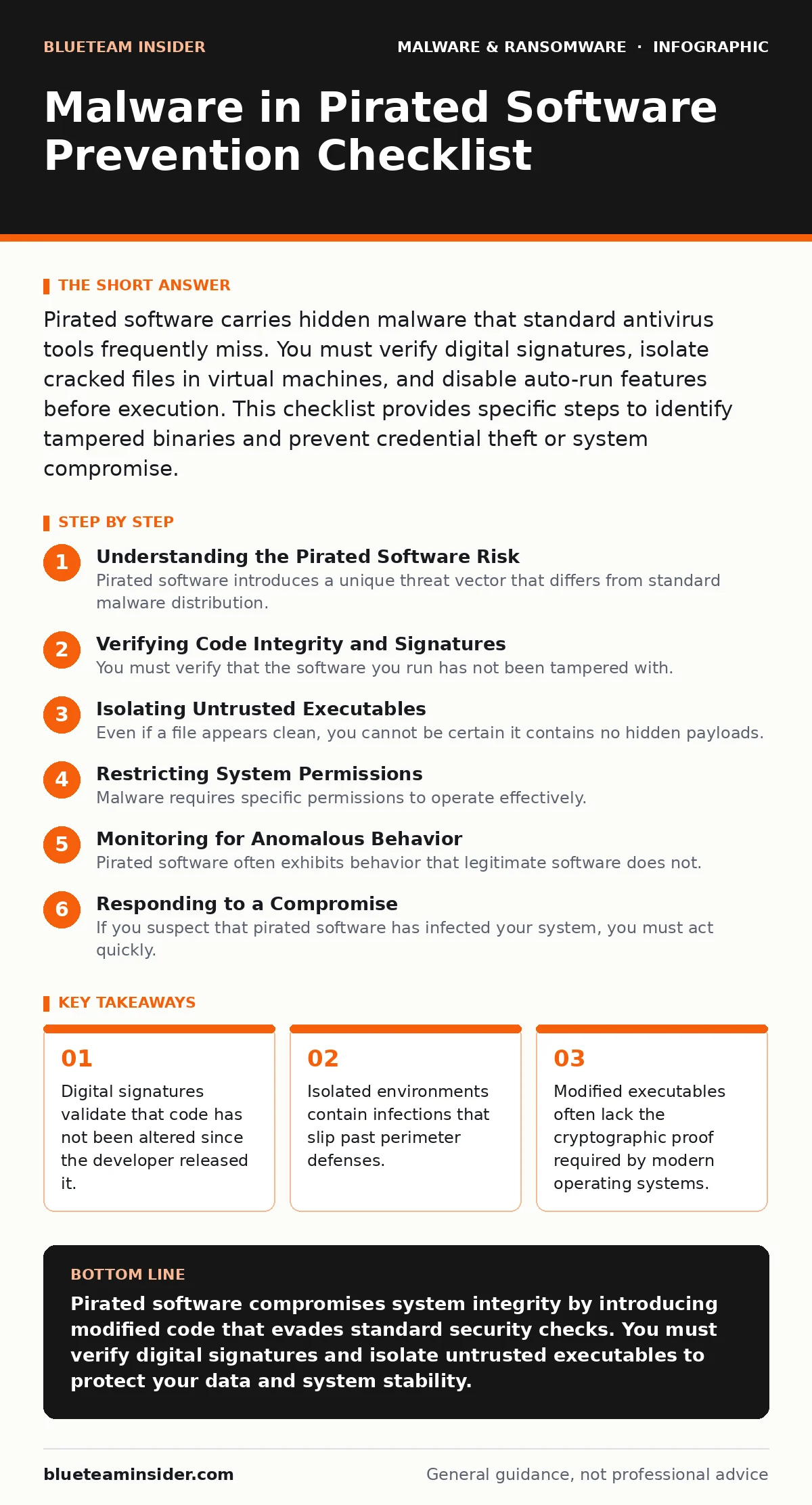
Pirated software carries hidden malware that standard antivirus tools frequently miss. You must verify digital signatures, isolate cracked files in virtual machines, and disable auto-run features before execution. This checklist provides specific steps to identify tampered binaries and prevent credential theft or system compromise.
Understanding the Pirated Software Risk
Pirated software introduces a unique threat vector that differs from standard malware distribution. When developers crack commercial applications, they modify the executable code to remove licensing checks. This modification breaks the original digital signature. A digital signature is a cryptographic hash that proves the file’s integrity and origin. Once the file changes, the signature becomes invalid. Many users disable security warnings to proceed with installation, effectively handing control of their system to unknown code.
This process creates a scenario where you cannot trust the binary. The modifier may insert keyloggers, remote access tools, or ransomware payloads. These additions are not always visible in the file name or icon. The malware may only activate after a specific trigger, such as connecting to a network or opening a specific file type. This delayed execution makes detection difficult for real-time scanners.
Imagine you install a popular video editing tool from a torrent site. The installer appears to run correctly. The application opens and functions as expected. However, a background process is silently copying your browser cookies and session tokens. This allows attackers to access your accounts without needing your password. This is a common technique used in banking trojans.
Verifying Code Integrity and Signatures
You must verify that the software you run has not been tampered with. Legitimate software vendors sign their binaries with a certificate from a trusted authority. You can check this status in your operating system’s file properties. If the signature is missing, expired, or marked as untrusted, the file has likely been modified. Running unsigned code from unverified sources is a high-risk activity.
- Check digital signatures before installation: Unsigned binaries indicate the code has been altered or created without developer oversight.
- Compare file hashes with official sources: Hash mismatches prove the file content differs from the vendor’s original release.
- Disable automatic script execution: Preventing auto-run stops malicious scripts from triggering when you insert external drives or open folders.
These checks require you to pause before clicking "Install." This pause allows you to gather evidence of tampering. If the hash matches a known clean version, you reduce the risk of executing modified code. This method is particularly effective against Linux malware, which often relies on users ignoring permission warnings.
Isolating Untrusted Executables
Even if a file appears clean, you cannot be certain it contains no hidden payloads. Isolation is the primary defense against unknown threats. You should run pirated or unverified software in a virtual machine. A virtual machine is a simulated computer environment that runs within your main operating system. This separation ensures that any malware contained in the software remains trapped within the virtual environment.
If the virtual machine becomes infected, you can discard it and restore a clean snapshot. This process prevents the malware from spreading to your primary system. You must ensure that the virtual machine has no network access to sensitive internal resources. This limits the ability of the malware to exfiltrate data or communicate with command-and-control servers.
- Use a virtual machine for testing: Isolation contains infections and prevents them from accessing your host operating system files.
- Disable clipboard sharing between host and guest: Blocking data transfer stops malware from copying sensitive text or credentials from your main system.
- Snapshot the environment before execution: Restoring a previous state allows you to recover quickly if the software behaves unexpectedly.
This approach adds friction to your workflow but significantly reduces the risk of a full system compromise. It also allows you to observe the software’s behavior in a safe setting. You can monitor network traffic and file system changes to identify suspicious activity.
Restricting System Permissions
Malware requires specific permissions to operate effectively. By restricting what a program can do, you limit the damage it can cause. Modern operating systems offer features to control application behavior. You can use application whitelisting to ensure only approved programs run. This prevents unauthorized executables from launching, even if they are present on the disk.
You should also apply the principle of least privilege. This means running applications with the minimum permissions necessary for their function. If a program does not need administrator rights, do not grant them. This prevents malware from modifying system files or installing persistent backdoors. Attack surface reduction rules can help enforce these restrictions automatically.
- Run applications as a standard user: Limiting privileges prevents malware from making system-wide changes or installing persistent components.
- Enable application whitelisting: Only allowing known good binaries prevents unknown or modified executables from running on your system.
- Block USB autorun functions: Preventing automatic execution stops malware from spreading through infected removable media devices.
These controls create layers of defense. If one layer fails, the next one may stop the attack. This defense-in-depth strategy is critical for protecting against sophisticated threats. It also helps mitigate the risks associated with the ransomware attack chain, where initial access is just the first step.
Monitoring for Anomalous Behavior
Pirated software often exhibits behavior that legitimate software does not. This includes unexpected network connections, high CPU usage, or attempts to modify system settings. You should monitor your system for these anomalies. Network monitoring tools can alert you when a program attempts to connect to unknown external servers. This is a common sign of data exfiltration or command-and-control communication.
File integrity monitoring can detect changes to critical system files. If a pirated application modifies system libraries or configuration files, it may be attempting to persist on your system. You should investigate these changes immediately. Isolating the affected system and performing a forensic analysis can help determine the extent of the compromise.
- Monitor outbound network traffic: Unexpected connections may indicate data exfiltration or communication with malicious command-and-control servers.
- Track file system changes: Modifications to system files or libraries often signal an attempt to maintain persistent access to your system.
- Review process creation logs: Unusual parent-child process relationships can reveal hidden malware components launching from legitimate applications.
These monitoring steps provide visibility into what the software is doing. They allow you to detect threats that evade static analysis. This is particularly useful for identifying threats that mimic the behavior of Android malware, which often disguises itself as legitimate applications.
See also: Attack Surface Reduction Rules: 6 Misunderstandings Blocking Security
Responding to a Compromise
If you suspect that pirated software has infected your system, you must act quickly. Disconnect the affected machine from the network to prevent further data loss or spread. Preserve evidence by taking screenshots and logging system states. This information can help you understand the scope of the infection.
You should then reset all credentials that were used on the compromised system. This includes passwords, API keys, and session tokens. Assume that all data on the system is compromised. Restore the system from a known clean backup. This is where having a defined recovery point objective becomes vital. A clear recovery strategy ensures you can return to a secure state efficiently.
- Disconnect from the network immediately: Isolating the system prevents malware from communicating with external servers or spreading to other devices.
- Reset all compromised credentials: Changing passwords and tokens prevents attackers from using stolen information to access other accounts.
- Restore from a clean backup: Rebuilding the system from a known good state ensures that all malicious components are removed.
This response process minimizes the impact of the breach. It also helps you recover operations with minimal downtime. Understanding the ransomware payment debate can inform your decisions on whether to pay ransoms, but prevention and recovery are always preferable.
Key takeaways
- Digital signatures validate that code has not been altered since the developer released it.
- Isolated environments contain infections that slip past perimeter defenses.
- Modified executables often lack the cryptographic proof required by modern operating systems.
Pirated software compromises system integrity by introducing modified code that evades standard security checks. You must verify digital signatures and isolate untrusted executables to protect your data and system stability.
Frequently asked questions
Can antivirus software detect malware in cracked software?
Standard antivirus tools often miss malware in cracked software because the modified code structure does not match known threat signatures.
Is it safe to use pirated software in a virtual machine?
Using a virtual machine isolates the software, but you must ensure the VM has no network access to sensitive resources to prevent data exfiltration.
How do I know if a digital signature is valid?
Check the file properties in your operating system. A valid signature will show the publisher’s name and a status of "Verified" or "OK."
What should I do if I accidentally run pirated software?
Disconnect from the network, reset all credentials used on the system, and restore from a clean backup to ensure complete removal of threats.
How this guide was produced: written by the BlueTeam Insider editorial team with AI assistance, checked against the public references listed below, and reviewed when the facts change. See our editorial policy or report an error.