Ransomware Attack Chain: How It Works and Where It Breaks
Most ransomware fails not because of encryption strength, but because the initial access phase leaves forensic traces that automated defenses can detect before files are locked.
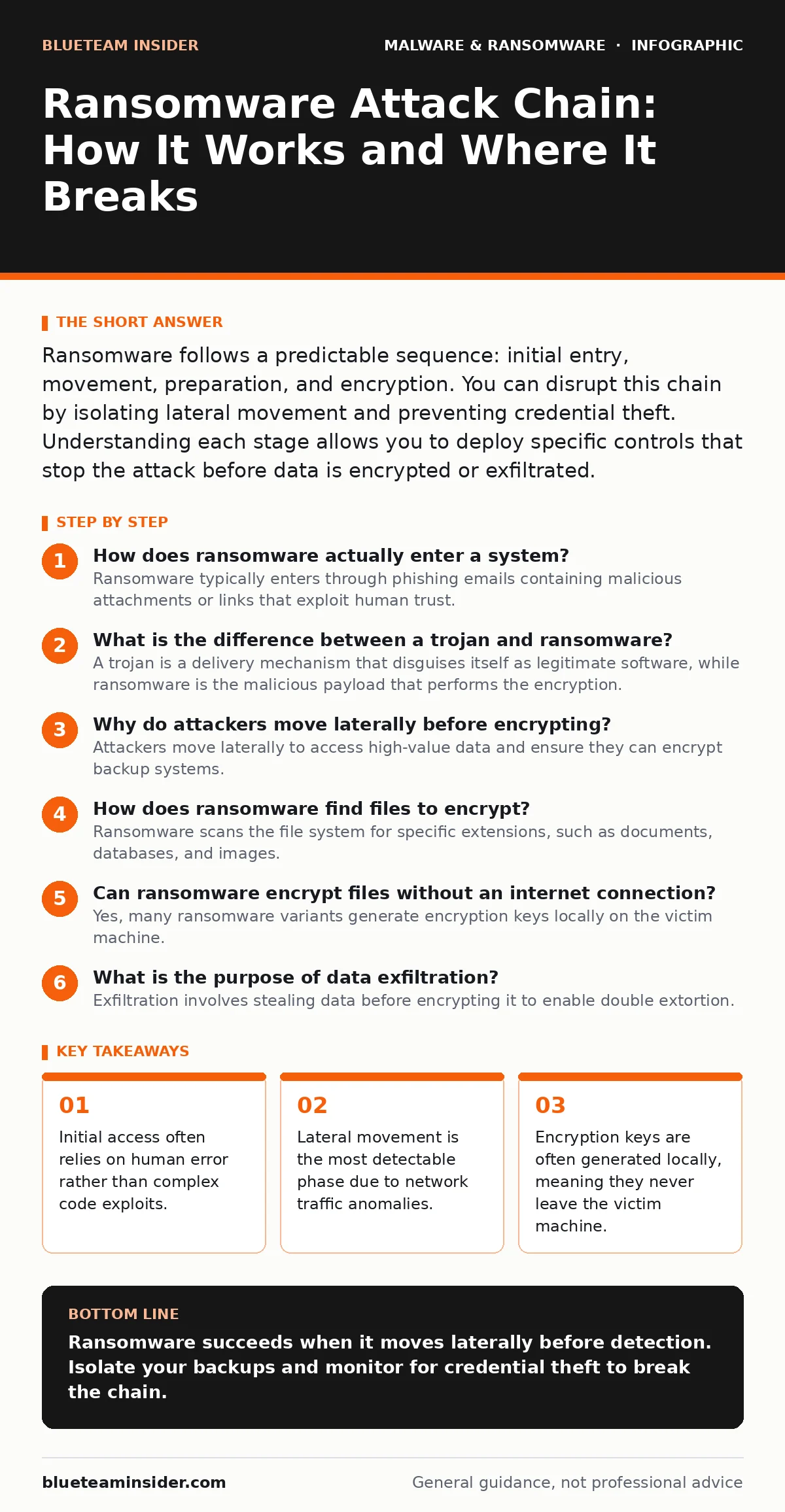
Ransomware follows a predictable sequence: initial entry, movement, preparation, and encryption. You can disrupt this chain by isolating lateral movement and preventing credential theft. Understanding each stage allows you to deploy specific controls that stop the attack before data is encrypted or exfiltrated.
How does ransomware actually enter a system?
Ransomware typically enters through phishing emails containing malicious attachments or links that exploit human trust. This initial access vector relies on social engineering to bypass technical defenses. Users click a button or open a document, unknowingly executing code that downloads the payload. This method remains effective because it targets behavior, not software vulnerabilities.
Imagine you receive an invoice with a PDF attachment. Opening it triggers a macro that downloads a second-stage payload from a remote server. This two-step process helps the attacker evade simple signature-based scanners that might flag the initial email but miss the subsequent download.
What is the difference between a trojan and ransomware?
A trojan is a delivery mechanism that disguises itself as legitimate software, while ransomware is the malicious payload that performs the encryption. The trojan opens the door; the ransomware locks the house. Many attacks use a trojan to establish persistence and download the ransomware module later. This separation allows attackers to update their encryption tools without changing the initial infection vector.
This distinction matters for defense. Blocking known trojan signatures prevents the initial foothold, but you must also monitor for unusual outbound connections that signal the download of the ransomware module.
Why do attackers move laterally before encrypting?
Attackers move laterally to access high-value data and ensure they can encrypt backup systems. By moving from an entry point, such as a user workstation, to servers and storage, they maximize the damage. This phase involves stealing credentials and using them to access other machines on the network. It also allows them to disable security agents on critical systems.
If you only protect your endpoints, you miss this movement. Network segmentation limits how far an attacker can travel. See our guide on remote access tool abuse to understand how attackers maintain control during this phase.
How does ransomware find files to encrypt?
Ransomware scans the file system for specific extensions, such as documents, databases, and images. It ignores system files to prevent the operating system from crashing immediately. This selective targeting ensures the victim can still interact with the machine to read the ransom note. The malware often prioritizes network shares and cloud-synced folders.
This scanning process creates a spike in disk I/O and network traffic. Monitoring for sudden increases in file access can alert you to the encryption phase before critical data is lost.
Can ransomware encrypt files without an internet connection?
Yes, many ransomware variants generate encryption keys locally on the victim machine. The public key encrypts the files, while the private key remains with the attacker. This design allows the malware to function even if the machine is air-gapped or disconnected from the network. It also prevents the attacker from being tracked via command-and-control traffic during the encryption phase.
This local generation means that blocking outbound internet traffic does not stop the encryption. It only prevents the attacker from receiving the data or the ransom note.
What is the purpose of data exfiltration?
Exfiltration involves stealing data before encrypting it to enable double extortion. Attackers threaten to publish sensitive information if the ransom is not paid. This increases pressure on victims who might otherwise rely on backups. The stolen data often includes intellectual property, customer records, and internal communications.
Preventing exfiltration requires detecting large, unusual data transfers. See our guide on the ransomware payment debate for insights into why paying does not guarantee data deletion.
How do attackers disable security tools?
Attackers use scripts and commands to stop security services and delete logs. This preparation phase aims to blind the victim’s defenses. They may disable Windows Defender, stop logging services, and remove scheduled tasks. This creates a window of opportunity for the encryption phase to proceed without interference.
This behavior leaves traces in system logs before they are deleted. Centralized logging that forwards data to a secure server prevents attackers from hiding their tracks.
Why do some ransomware attacks fail?
Attacks often fail due to lack of privileges or detection during lateral movement. If the initial user account has limited rights, the malware cannot encrypt system files or access network shares. Security tools may also detect the unusual behavior of credential dumping or mass file modification. This stops the chain before the encryption phase.
See our guide on ransomware-as-a-service to understand how lower-quality operators may lack the sophistication to bypass these controls.
| Phase | Primary Goal | Common Defense | Failure Point |
|---|---|---|---|
| Initial Access | Enter the network | Email filtering | User clicks link |
| Lateral Movement | Steal credentials | Network segmentation | Privilege escalation blocked |
| Preparation | Disable defenses | Endpoint detection | Script blocked by AMSI |
| Encryption | Lock files | Immutable backups | Lack of admin rights |
| Exfiltration | Steal data | Data loss prevention | Large transfer detected |
How can you recover from ransomware without paying?
Recovery depends on clean, isolated backups that are not connected to the primary network. Restoring from these backups allows you to rebuild the system without engaging with the attacker. You must also identify the initial entry point to prevent reinfection. This process takes time but avoids the risk of paying and receiving no decryption key.
See our guide on ransomware decryption tools to check if a free tool exists for your variant, though backups remain the only reliable method.
What is the role of heuristics in detection?
Heuristic detection analyzes behavior rather than matching known signatures. It looks for actions like mass file renaming or rapid encryption. This method catches new ransomware variants that do not yet have a known signature. It reduces the time between infection and detection.
See our guide on heuristic detection to learn how to tune these tools to reduce false positives.
Does ransomware affect mobile devices?
Yes, mobile ransomware locks the screen or encrypts files on Android and iOS devices. These attacks often use scareware tactics to trick users into paying. While less common than PC ransomware, they target valuable personal data. Mobile devices often have weaker endpoint protection.
See our guide on Android malware for specific mobile defense strategies.
How do you prevent ransomware from spreading?
Prevention requires a layered approach combining email filtering, network segmentation, and endpoint detection. You must also maintain offline backups and train users to recognize phishing. Regularly testing your incident response plan ensures you can react quickly. This reduces the impact of any breach.
See our guide on scareware to distinguish between fake alerts and real threats.
What is the impact of Linux malware?
Linux servers are increasingly targeted by ransomware due to their role in hosting critical data. Attackers exploit misconfigurations and weak passwords to gain access. Linux-specific ransomware encrypts databases and virtual machines. This threatens cloud infrastructure and hosting providers.
See our guide on Linux malware to understand server-specific risks.
Key takeaways
- Initial access often relies on human error rather than complex code exploits.
- Lateral movement is the most detectable phase due to network traffic anomalies.
- Encryption keys are often generated locally, meaning they never leave the victim machine.
Ransomware succeeds when it moves laterally before detection. Isolate your backups and monitor for credential theft to break the chain.
Frequently asked questions
Can I recover files if I don't have backups?
Recovery is unlikely without backups. Some free tools exist for older variants, but new encryption methods are generally irreversible.
Does antivirus software stop ransomware?
Antivirus helps but is not sufficient. You need endpoint detection and response tools that monitor behavior, not just file signatures.
Is it safe to pay the ransom?
Paying does not guarantee decryption or data deletion. It also funds further attacks and may violate legal regulations.
How long does it take to recover?
Recovery time depends on the size of your data and the quality of your backups. It can range from hours to weeks.
How this guide was produced: written by the BlueTeam Insider editorial team with AI assistance, checked against the public references listed below, and reviewed when the facts change. See our editorial policy or report an error.