Shoulder Surfing Mistakes That Expose Your Credentials
Physical observation bypasses encryption entirely, turning your screen into an open book for anyone within arm’s reach who knows where to look.
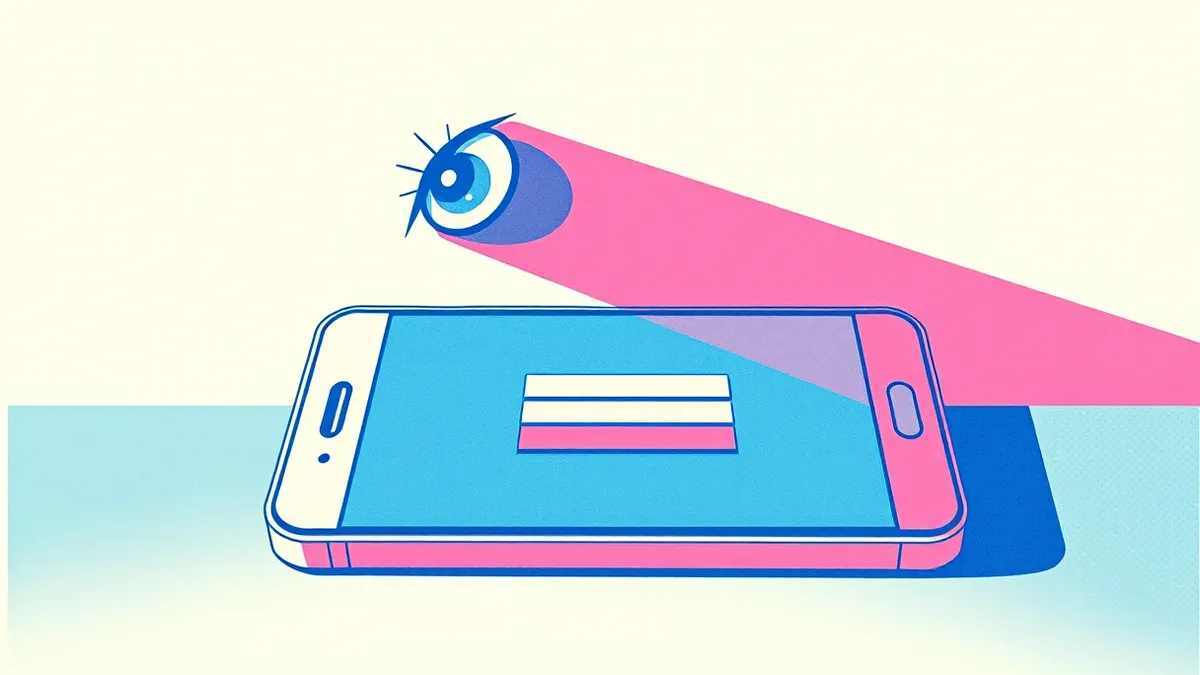
Shoulder surfing exploits physical proximity to capture sensitive data. Common errors include sitting near windows, using high-brightness screens, and ignoring peripheral vision. Fix these by adjusting screen angle, lowering brightness, and positioning your chair to block direct line-of-sight from public areas.
Mistake 1: Sitting with Your Back to Open Space
Positioning your chair with your back to a walkway, window, or open door invites observation. You cannot see who approaches you or how close they get. This blind spot allows an attacker to stand directly behind you for extended periods without triggering your awareness. The human factor in security often overlooks physical vulnerability, focusing solely on digital locks while ignoring the physical environment.
Why it hurts: An observer can read your screen in real-time. They capture passwords, sensitive emails, or confidential documents as you type or read them. This method bypasses all encryption because the data is already decrypted on your display. The attacker gains immediate access to information that would otherwise require complex technical exploitation.
The fix: Arrange your workspace so you face the entrance or main traffic flow. Keep your back against a solid wall or partition. This creates a natural barrier that prevents someone from standing directly behind you. If you must face a window, use blinds or curtains to block the view from outside.
Mistake 2: Maximizing Screen Brightness in Public
High screen brightness serves as a visual beacon in dimly lit environments. Cafes, airports, and co-working spaces often have lower ambient light than your display. This contrast makes your screen content visible from several feet away, even if the observer is not looking directly at it. Many users keep brightness at maximum to save battery or due to default settings, unaware of the security risk.
Why it hurts: The glare extends your effective observation radius. Attackers can read text or identify application windows from a distance using peripheral vision. They do not need to be close to capture sensitive information. This mistake turns your device into a public display, exposing data to anyone passing by in the vicinity.
The fix: Lower your screen brightness to match the ambient light level. Use automatic brightness controls if available, but manually reduce it further in public. Ensure the screen is dim enough that content is not legible from three feet away. This simple adjustment significantly reduces the chance of accidental data exposure.
Mistake 3: Ignoring Peripheral Vision Risks
You assume that if someone is not looking directly at your screen, they cannot see it. This assumption is false. Peripheral vision is highly sensitive to movement and high-contrast elements like text on a dark background. Attackers can glance at your screen while appearing to look elsewhere. They capture snippets of information without drawing attention to themselves.
Why it hurts: Fragmented data collection is often enough for an attack. An observer might capture part of a password, a username, or a confirmation number. They combine these fragments with other information to gain access. This technique is subtle and difficult to detect because the attacker maintains normal behavior and eye contact elsewhere.
The fix: Assume your screen is always visible to anyone in your immediate vicinity. Cover sensitive information when stepping away from your device. Use a privacy screen filter to restrict the viewing angle. These filters darken the screen when viewed from the side, ensuring only the person directly in front can read the content.
Mistake 4: Leaving Devices Unattended in Plain Sight
Stepping away from your device for even a few seconds creates a window of opportunity. Whether you are grabbing coffee or answering a phone call, an unattended screen is vulnerable. Attackers can walk up to your device and read open documents, messages, or login sessions. This mistake is common in shared workspaces and public areas where distractions are frequent.
Why it hurts: Direct access to your unlocked device provides complete control. The attacker can read emails, access files, or install malicious software. They do not need to guess your password if the device is already unlocked. This exposure can lead to data theft, identity fraud, or further infiltration of your network.
The fix: Lock your device immediately when you step away. Use keyboard shortcuts to lock the screen instantly. Enable automatic screen locks that activate after a short period of inactivity. Treat your device as a physical key; never leave it unattended in a public space.
Mistake 5: Using Predictable Login Patterns
Shoulder surfers look for patterns in how you enter credentials. If you always type your password in the same rhythm or position your fingers in a predictable way, an observer can memorize the sequence. They do not need to see the actual characters if they can deduce the pattern. This is a form of social engineering red flags where behavioral consistency becomes a security weakness.
Why it hurts: Pattern recognition allows attackers to replicate your input without seeing the exact characters. They can observe your hand movements and finger placement to reconstruct your password. This method is particularly effective against short or simple passwords. It turns physical observation into a reliable attack vector.
The fix: Vary your typing rhythm and hand position when entering passwords. Use a password manager to auto-fill credentials, eliminating the need to type them manually. If you must type, do so discreetly and avoid repetitive patterns. Consider using biometric authentication where available to remove the typing element entirely.
See also: Data Masking Mistakes That Expose Sensitive Information · Cyber Insurance Explained: How Coverage Works and What It Misses
Mistake 6: Disabling Login Alerts and Notifications
Many devices offer login alerts that notify you of new sign-ins or unusual activity. Disabling these alerts removes a critical layer of detection. If an attacker observes your credentials and attempts to log in from another device, you may not know. This silence allows the breach to persist undetected, giving the attacker time to extract data.
Why it hurts: Without alerts, you lose real-time visibility into account access. You cannot distinguish between your own activity and an intruder’s. This delay in detection increases the damage potential. The attacker can operate freely while you remain unaware of the compromise.
The fix: Enable login alerts for all critical accounts. Configure notifications to send immediate alerts to your phone or email. Review these alerts regularly for unfamiliar locations or devices. This practice helps you identify unauthorized access quickly and take corrective action.
Mistake 7: Neglecting Physical Environment Security
Focusing only on digital security ignores the physical context. Public Wi-Fi, open offices, and shared spaces introduce unique risks. Attackers exploit the lack of physical barriers to observe and interact with your device. This oversight leaves you vulnerable to attacks that bypass technical controls entirely. Understanding the human factor in security requires addressing both digital and physical threats.
Why it hurts: Physical proximity allows for a wider range of attacks. Beyond shoulder surfing, attackers can plant hardware keyloggers or install spyware. They can also intercept network traffic if you are on an unsecured connection. These methods combine physical access with technical exploitation for maximum impact.
The fix: Assess your physical environment before working on sensitive tasks. Avoid using public Wi-Fi for critical operations. Use a virtual private network to encrypt network traffic. Maintain situational awareness and adjust your behavior based on the security of your surroundings.
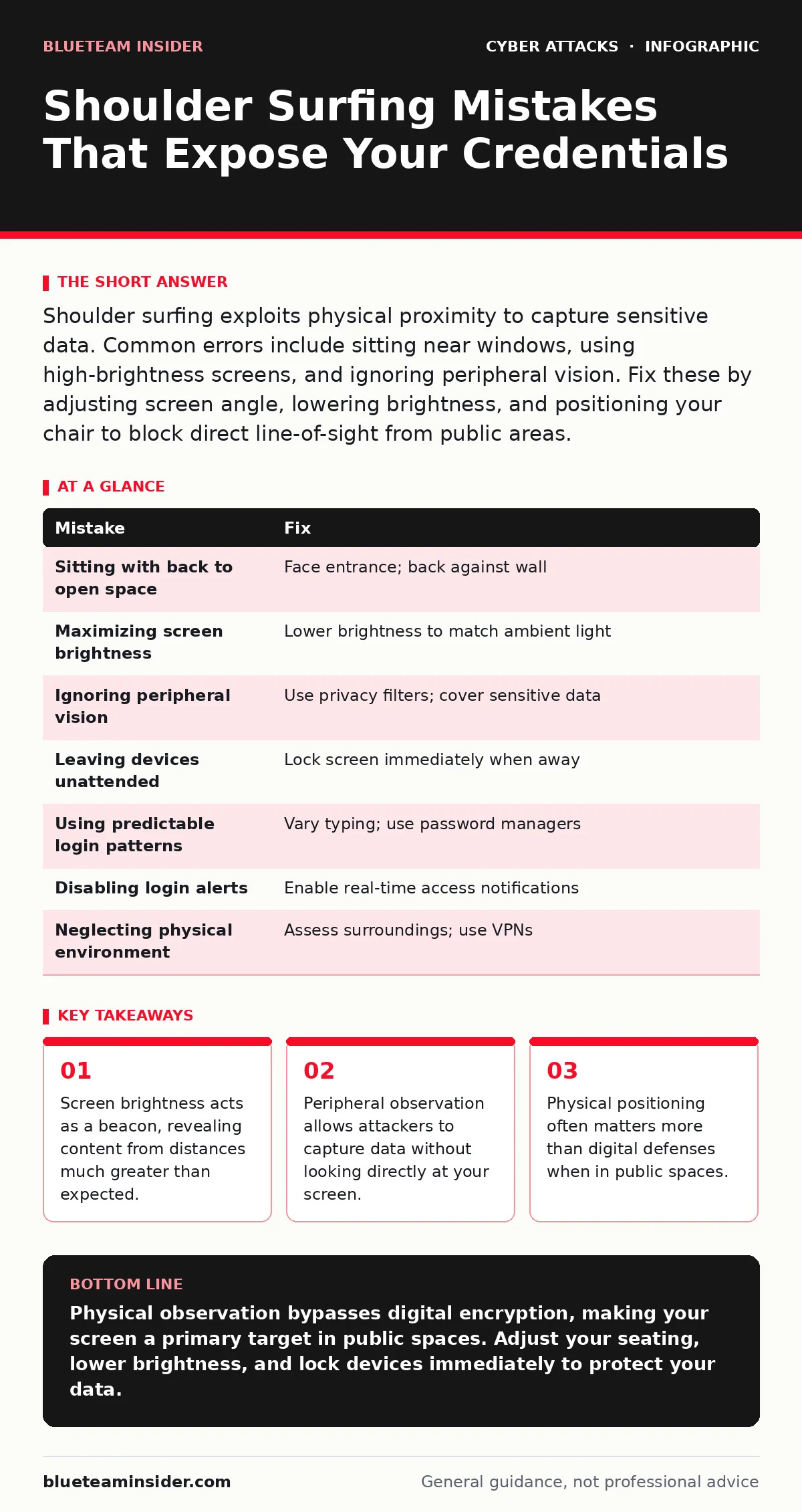
| Mistake | Fix |
|---|---|
| Sitting with back to open space | Face entrance; back against wall |
| Maximizing screen brightness | Lower brightness to match ambient light |
| Ignoring peripheral vision | Use privacy filters; cover sensitive data |
| Leaving devices unattended | Lock screen immediately when away |
| Using predictable login patterns | Vary typing; use password managers |
| Disabling login alerts | Enable real-time access notifications |
| Neglecting physical environment | Assess surroundings; use VPNs |
Key takeaways
- Screen brightness acts as a beacon, revealing content from distances much greater than expected.
- Peripheral observation allows attackers to capture data without looking directly at your screen.
- Physical positioning often matters more than digital defenses when in public spaces.
Physical observation bypasses digital encryption, making your screen a primary target in public spaces. Adjust your seating, lower brightness, and lock devices immediately to protect your data.
Frequently asked questions
Can shoulder surfing happen online?
No, shoulder surfing is a physical attack. However, screen sharing software can expose your screen remotely, which requires different mitigation strategies.
How close does an attacker need to be?
Attackers can read content from several feet away if the screen is bright and the contrast is high. Peripheral vision can capture data from even greater distances.
Do privacy filters work on all devices?
Privacy filters are available for most screens, including laptops, tablets, and smartphones. Ensure the filter matches your screen size and resolution for optimal effectiveness.
Is shoulder surfing common in offices?
Yes, open-plan offices and shared workspaces increase the risk. Colleagues or visitors can inadvertently or intentionally observe sensitive information on your screen.
How this guide was produced: written by the BlueTeam Insider editorial team with AI assistance, checked against the public references listed below, and reviewed when the facts change. See our editorial policy or report an error.