How External Attack Surface Scanning Works and Its Limits
Scanners map your digital footprint by resolving domains and probing ports, revealing hidden assets that internal audits miss but cannot verify internal logic flaws.
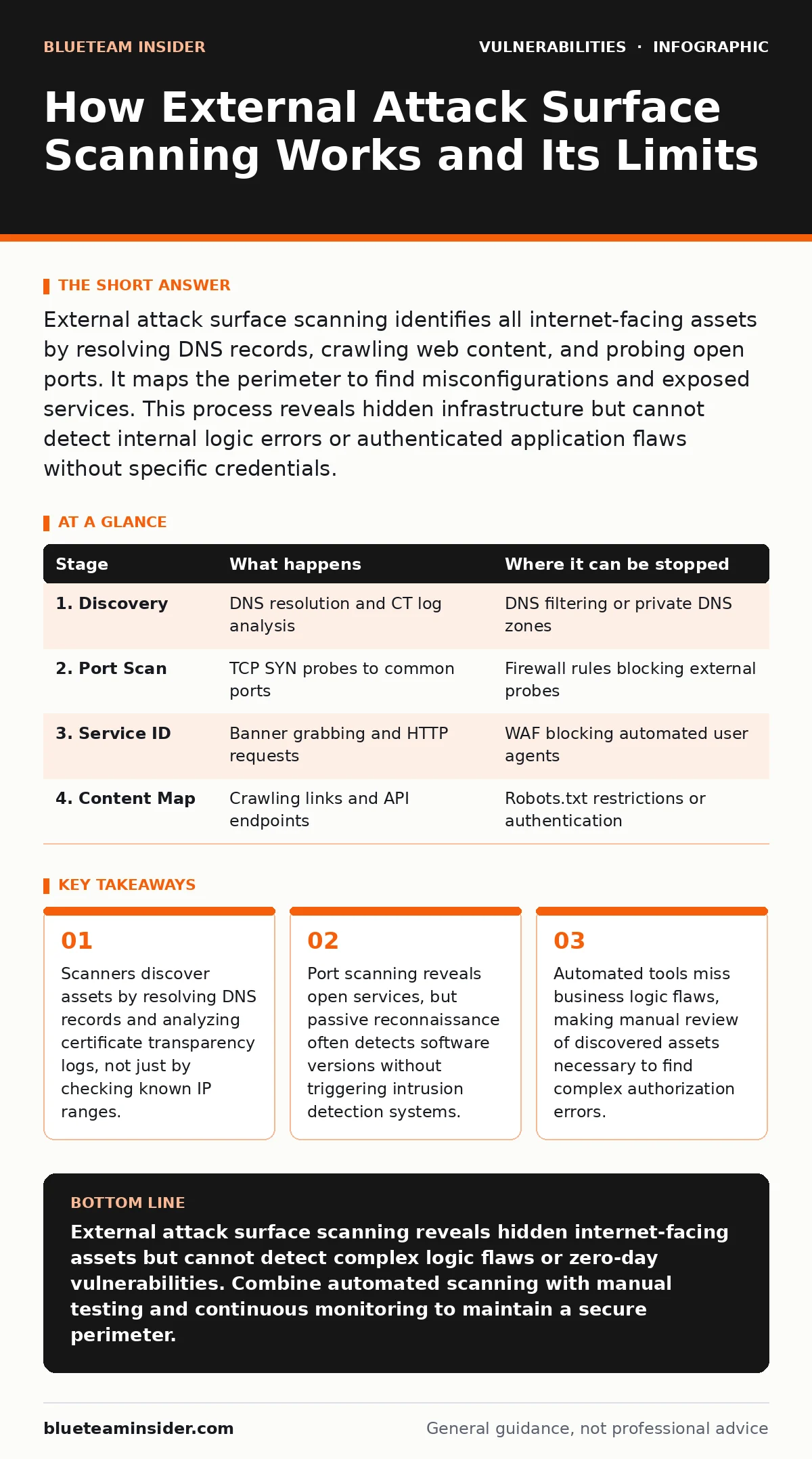
External attack surface scanning identifies all internet-facing assets by resolving DNS records, crawling web content, and probing open ports. It maps the perimeter to find misconfigurations and exposed services. This process reveals hidden infrastructure but cannot detect internal logic errors or authenticated application flaws without specific credentials.
Defining the External Attack Surface
The external attack surface consists of every digital asset accessible from the public internet. This includes web servers, API endpoints, administrative panels, and forgotten development environments. Organizations often underestimate this surface because internal audits only check managed infrastructure. Unmanaged assets, such as cloud instances spun up for testing and never torn down, expand the perimeter silently. Understanding what exists is the first step in securing it. You cannot protect what you cannot see.
Stage 1: Asset Discovery and Enumeration
Stage 1: Asset Discovery and Enumeration
Discovery begins by collecting all domain names associated with the organization. Scanners query DNS servers to resolve hostnames to IP addresses. They also check certificate transparency logs, which record every SSL certificate issued. This reveals subdomains that might not appear in standard DNS queries. The scanner builds a list of potential entry points. This list includes primary domains, subdomains, and any aliases. Missing a subdomain here means missing an entire branch of the attack surface.
| Stage | What happens | Where it can be stopped |
|---|---|---|
| 1. Discovery | DNS resolution and CT log analysis | DNS filtering or private DNS zones |
| 2. Port Scan | TCP SYN probes to common ports | Firewall rules blocking external probes |
| 3. Service ID | Banner grabbing and HTTP requests | WAF blocking automated user agents |
| 4. Content Map | Crawling links and API endpoints | Robots.txt restrictions or authentication |
Stage 2: Port and Service Identification
Stage 2: Port and Service Identification
Once assets are identified, the scanner probes for open ports. It sends TCP SYN packets to common ports like 80, 443, and 22. An open port indicates a listening service. The scanner then identifies the service running on that port. It does this by reading banner information or sending specific protocol requests. For example, it might send an HTTP GET request to confirm a web server. This step determines what software is exposed to the internet. Knowing the software version helps prioritize risks.
Stage 3: Technology Stack Fingerprinting
Stage 3: Technology Stack Fingerprinting
Identifying the software is not enough. The scanner determines the specific version and configuration. It analyzes HTTP headers, HTML source code, and JavaScript files. Some scanners use passive techniques, such as analyzing the TLS handshake, to identify web servers without making direct requests. This reduces the chance of triggering alarms. Others use active probes, sending crafted requests to elicit unique responses. This fingerprinting reveals if the software is outdated or misconfigured. Outdated software often contains known vulnerabilities in PyPI packages or other libraries.
Stage 4: Content and Logic Mapping
Stage 4: Content and Logic Mapping
The scanner crawls the web application to map its structure. It follows links, submits forms, and enumerates directories. This reveals hidden pages, backup files, and API endpoints. It also identifies technologies like content management systems or frameworks. This stage can uncover subdomain takeover risks if a subdomain points to a removed service. It also helps find API vulnerabilities by mapping exposed endpoints. The scanner builds a graph of the application’s logic. This map is crucial for understanding how an attacker might navigate the application.
See also: Responsible Disclosure Best Practices for Secure Software
Stage 5: Vulnerability Detection and Validation
Stage 5: Vulnerability Detection and Validation
With the stack identified, the scanner checks for known vulnerabilities. It compares software versions against databases of security flaws. It might also run lightweight exploits to confirm the vulnerability exists. This validation step reduces false positives. However, scanners cannot detect broken object level authorization (BOLA) or SQL injection flaws that require specific input sequences. These logic errors require manual testing or specialized tools. The scanner reports confirmed vulnerabilities and their severity. This allows teams to prioritize remediation efforts.
Limits of Automated Scanning
Limits of Automated Scanning
Automated scanning has significant limits. It cannot understand business logic. It cannot test authenticated workflows unless specific credentials are provided. It also struggles with single-page applications that load content dynamically. Furthermore, scanners may miss vulnerabilities in custom code or proprietary protocols. They rely on known signatures and patterns. Zero-day vulnerabilities are invisible to standard scanners. Imagine a custom API endpoint that only responds to a specific JSON structure. A standard scanner will not discover it. This is why container image scanning and code reviews are necessary complements.
Integrating Scanning into Security Operations
Integrating Scanning into Security Operations
Effective scanning requires continuous monitoring. New assets are added to the internet daily. Scanners must run regularly to detect changes. Results should be integrated into vulnerability management platforms. This allows teams to track remediation progress. It also helps identify trends in the attack surface. Organizations should combine external scanning with internal assessments. Internal scans reveal vulnerabilities that are not exposed to the internet. They also help verify that external patches are applied correctly. This holistic approach reduces risk more effectively than external scanning alone.
Prioritizing Remediation Efforts
Prioritizing Remediation Efforts
Not all vulnerabilities are equal. Scanners provide severity scores, but context matters. A low-severity flaw on a public-facing server is more dangerous than a high-severity flaw on an isolated internal system. Teams should prioritize based on exposure and exploitability. They should also consider the difficulty of remediation. Some fixes require application code changes, while others only need configuration updates. Prioritizing effectively ensures that the most critical risks are addressed first. This reduces the window of opportunity for attackers.
The Role of Human Analysis
The Role of Human Analysis
Automated tools provide data, not decisions. Security analysts must interpret the results. They must distinguish between false positives and real threats. They must also assess the business impact of each vulnerability. Human analysis is particularly important for complex applications. It helps identify logic flaws that scanners miss. It also helps prioritize remediation based on business context. Analysts should also investigate new assets discovered by the scanner. They must determine if these assets are authorized or rogue. This human touch is essential for effective security management.
Key takeaways
- Scanners discover assets by resolving DNS records and analyzing certificate transparency logs, not just by checking known IP ranges.
- Port scanning reveals open services, but passive reconnaissance often detects software versions without triggering intrusion detection systems.
- Automated tools miss business logic flaws, making manual review of discovered assets necessary to find complex authorization errors.
External attack surface scanning reveals hidden internet-facing assets but cannot detect complex logic flaws or zero-day vulnerabilities. Combine automated scanning with manual testing and continuous monitoring to maintain a secure perimeter.
Frequently asked questions
How often should I run external attack surface scans?
Run scans continuously or at least weekly to detect new assets and changes. Critical infrastructure may require daily monitoring to catch unauthorized changes quickly.
Can external scanners find internal vulnerabilities?
No, external scanners only see what is exposed to the internet. Internal vulnerabilities require internal scanning or code review tools to detect.
Is external scanning safe for production systems?
It is generally safe if configured correctly. Passive scanning is non-intrusive. Active scanning can trigger alarms, so coordinate with network teams to avoid disruptions.
How do I handle false positives from scanners?
Verify each finding manually. Check the software version and configuration. If the vulnerability does not exist in your specific setup, mark it as a false positive in your tracking system.
How this guide was produced: written by the BlueTeam Insider editorial team with AI assistance, checked against the public references listed below, and reviewed when the facts change. See our editorial policy or report an error.