Detect Phishing Infrastructure: Signals, Blind Spots and Tools
Attackers reuse infrastructure patterns, allowing defenders to spot malicious networks by analyzing certificate chains and DNS anomalies rather than just content.

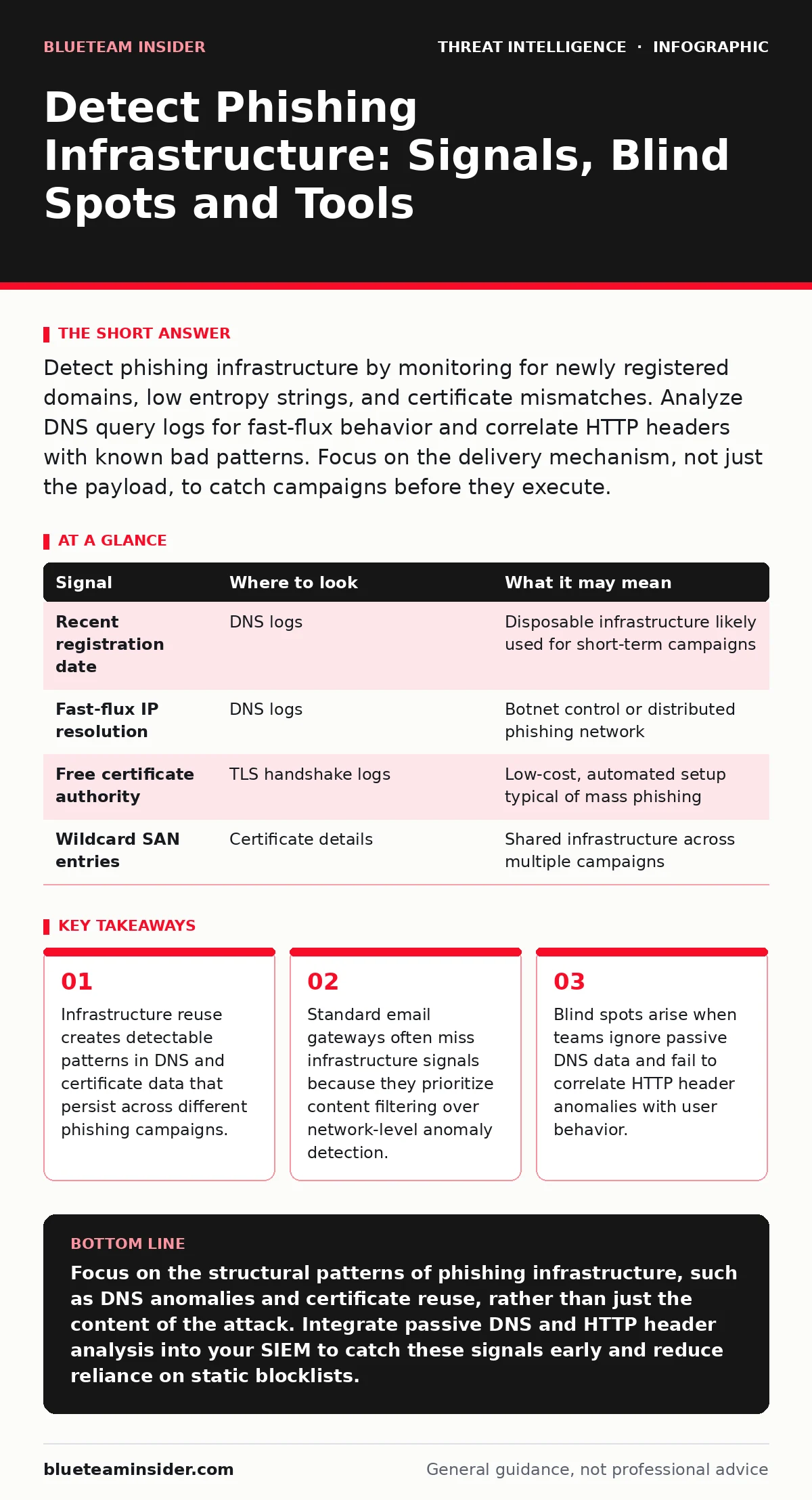
Detect phishing infrastructure by monitoring for newly registered domains, low entropy strings, and certificate mismatches. Analyze DNS query logs for fast-flux behavior and correlate HTTP headers with known bad patterns. Focus on the delivery mechanism, not just the payload, to catch campaigns before they execute.
The Anatomy of Disposable Infrastructure
Phishing campaigns rely on infrastructure that must be cheap, quick to deploy, and difficult to trace. Attackers often use free hosting platforms, subdomains of legitimate services, or newly registered domains. This disposability means the infrastructure itself changes rapidly, but the methods used to build it remain consistent. You cannot rely on static lists of bad domains because new ones appear constantly. Instead, you must look for the structural fingerprints of how these environments are built.
Imagine a campaign that uses a different domain every hour. The content changes, but the underlying technology stack often remains the same. This consistency allows you to detect the infrastructure even if you do not recognize the specific URL. The goal is to identify the skeleton of the attack before the bait is fully prepared.
DNS Anomalies and Registration Age
The Domain Name System (DNS) is the first place to look for structural weaknesses in phishing infrastructure. Attackers often register domains with very recent creation dates. While a new domain is not inherently malicious, a spike in queries to domains registered within the last few days is a strong signal. You should monitor your DNS logs for queries to domains with low entropy in their names. Low entropy indicates random string generation, which is common in automated domain generation algorithms.
Another signal is fast-flux DNS behavior. This occurs when a domain resolves to many different IP addresses in a short period. Attackers use this technique to distribute traffic and evade blacklisting. If you see a single domain resolving to dozens of IPs across different geographic regions, it is likely part of a botnet or a phishing network. Correlating these DNS events with HTTP requests can reveal the full scope of the infrastructure.
Certificate Chains and TLS Handshakes
Transport Layer Security (TLS) certificates provide another layer of evidence. Many phishing sites use free certificates from public authorities like Let’s Encrypt. These certificates are easy to obtain and often cover multiple subdomains. You should analyze the certificate chain for signs of automation. Look for certificates issued to domains that have no other web presence.
The Subject Alternative Name (SAN) field in a certificate can also reveal infrastructure reuse. Attackers sometimes bundle multiple phishing domains into a single wildcard certificate to save time and cost. If you see a certificate covering unrelated domains, it suggests a shared infrastructure. This pattern is a strong indicator of coordinated activity. You can use tools that parse TLS handshakes to extract this data without downloading the full page.
| Signal | Where to look | What it may mean |
|---|---|---|
| Recent registration date | DNS logs | Disposable infrastructure likely used for short-term campaigns |
| Fast-flux IP resolution | DNS logs | Botnet control or distributed phishing network |
| Free certificate authority | TLS handshake logs | Low-cost, automated setup typical of mass phishing |
| Wildcard SAN entries | Certificate details | Shared infrastructure across multiple campaigns |
HTTP Headers and Server Signatures
The HTTP headers returned by a web server often reveal the underlying technology. Attackers frequently use default configurations for web servers like Nginx or Apache. These default setups include server headers that identify the software version. You should monitor for unusual combinations of headers, such as a modern browser user agent receiving a response from an outdated server version.
Another key signal is the presence of specific tracking scripts. Phishing pages often include analytics scripts to monitor victim interaction. These scripts may load from domains that are not related to the primary phishing site. By analyzing the third-party resources loaded by a page, you can identify the infrastructure used for tracking and command-and-control. This data helps you map the broader network of the attacker.
User Behavior and Browser Telemetry
User behavior provides the final piece of the puzzle. Even if the infrastructure is well-hidden, the way users interact with it often reveals its nature. Phishing pages usually require immediate action, such as entering credentials or downloading a file. You should monitor for sudden spikes in login attempts from unusual locations or devices.
Browser telemetry can also reveal infrastructure details. Modern browsers send various signals about the page context, including the referrer header. If a login request comes from a referrer that does not match your organization’s domain, it is likely a phishing attempt. This signal is often missed because it requires deep packet inspection or browser extension logging. Integrating this data into your security information and event management (SIEM) system can improve detection accuracy.
See also: IOC Enrichment Errors: Fix 7 Common Analyst Mistakes · Threat Actor Profiling: Answering 8 Key Questions
Common Blind Spots in Detection
Many organizations focus too heavily on content filtering and miss the infrastructure signals. Email gateways are excellent at blocking known malicious attachments but often fail to inspect the network behavior of links in real-time. This creates a blind spot where phishing emails pass through because the attachment is clean, but the link leads to a malicious infrastructure.
Another blind spot is the lack of passive DNS data. Passive DNS records the history of domain-to-IP mappings. Without this data, you cannot see the full picture of how an infrastructure evolves over time. You may detect a single malicious domain but miss the other domains controlled by the same actor. Integrating passive DNS feeds into your analysis workflow can help you identify these connections.
Tools and Enrichment Strategies
You need tools that can process large volumes of network data and correlate it with external threat intelligence. Security information and event management (SIEM) platforms are central to this effort. They aggregate logs from DNS, HTTP, and email sources, allowing you to search for patterns across the entire environment.
Threat intelligence platforms can enrich your internal data with external context. For example, they can tell you if a domain has been seen in other phishing campaigns. This process, known as IOC enrichment, helps you prioritize alerts and reduce false positives. You should also consider packet capture analysis for deep inspection of traffic that bypasses standard logging. This approach helps you understand the full scope of the infrastructure and its connections to other malicious activities.
Building a Detection Framework
To effectively detect phishing infrastructure, you must build a framework that combines multiple signals. Start by baselining your normal DNS and HTTP traffic. Identify what is typical for your organization so you can spot deviations. Then, integrate external data sources to enrich your internal logs.
Regularly review your detection rules to ensure they adapt to new tactics. Attackers change their methods, but the fundamental constraints of cost and speed remain. By focusing on the infrastructure rather than the content, you create a more resilient defense. This approach allows you to detect new campaigns early, even before they target your specific users.
Key takeaways
- Infrastructure reuse creates detectable patterns in DNS and certificate data that persist across different phishing campaigns.
- Standard email gateways often miss infrastructure signals because they prioritize content filtering over network-level anomaly detection.
- Blind spots arise when teams ignore passive DNS data and fail to correlate HTTP header anomalies with user behavior.
Focus on the structural patterns of phishing infrastructure, such as DNS anomalies and certificate reuse, rather than just the content of the attack. Integrate passive DNS and HTTP header analysis into your SIEM to catch these signals early and reduce reliance on static blocklists.
Frequently asked questions
How do I distinguish between a legitimate new domain and a phishing site?
Look for anomalies in registration age, DNS resolution patterns, and TLS certificates. Legitimate sites usually have established histories and standard configurations, while phishing sites often show signs of automation and haste.
Can I detect phishing infrastructure without packet capture?
Yes, by analyzing DNS logs, HTTP headers, and certificate data. These sources provide enough information to identify structural weaknesses without needing full packet inspection.
What is the role of threat intelligence in this process?
Threat intelligence provides context for internal signals, helping you correlate your findings with known malicious activities and infrastructure reuse patterns.
How often should I update my detection rules?
Regularly, as attackers evolve their methods. However, focusing on infrastructure patterns provides more stability than content-based rules, which require frequent updates.
How this guide was produced: written by the BlueTeam Insider editorial team with AI assistance, checked against the public references listed below, and reviewed when the facts change. See our editorial policy or report an error.