Backup Testing Checklist: Verify Your Data Recovery Plan
Most organizations lose data not because backups fail to create, but because they fail to restore correctly under pressure.

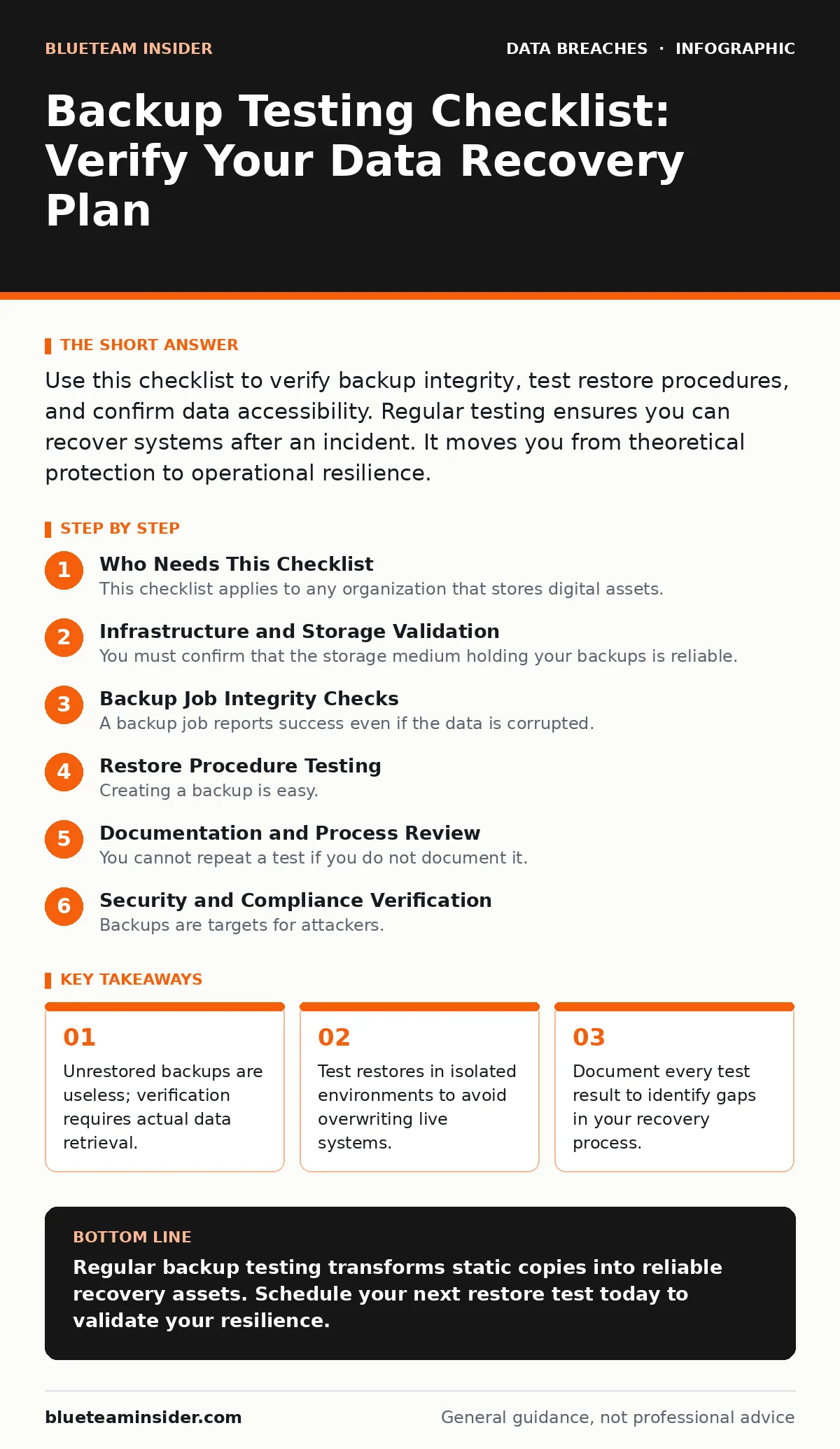
Use this checklist to verify backup integrity, test restore procedures, and confirm data accessibility. Regular testing ensures you can recover systems after an incident. It moves you from theoretical protection to operational resilience.
Who Needs This Checklist
This checklist applies to any organization that stores digital assets. If you manage servers, databases, or user files, you need to verify that your copies are valid. Do not assume that a successful backup job means your data is safe. A silent corruption can render terabytes of data unreadable. You must validate the integrity of the stored information.
Use this list as a baseline. You should adapt it to your specific infrastructure. Do not skip steps to save time. A skipped step often becomes the point of failure during a crisis. Review your results against your recovery time objectives.
Infrastructure and Storage Validation
You must confirm that the storage medium holding your backups is reliable. Physical degradation or logical errors can corrupt data over time. This section focuses on the physical and logical health of the storage target.
- Verify storage capacity: Ensure enough space exists for full backups and rotation history.
- Check storage health: Review logs for errors on disks, tapes, or cloud buckets.
- Validate encryption status: Confirm that data at rest is encrypted to prevent unauthorized access.
- Test network connectivity: Ensure the backup system can reach the storage target reliably.
- Review access controls: Verify that only authorized personnel can modify or delete backups.
If storage fails, your data vanishes. Regular checks prevent surprise capacity issues. Encryption protects your data if the storage device is stolen. See our guide on backup data exposure for more on securing stored copies.
Backup Job Integrity Checks
A backup job reports success even if the data is corrupted. You must verify that the files written to storage match the source. This section ensures the copy is bit-for-bit accurate.
- Compare checksums: Verify hash values of source and backup files match.
- Test random file retrieval: Select random files and confirm they open correctly.
- Validate database consistency: Run integrity checks on database backups if applicable.
- Check incremental chains: Ensure incremental backups link correctly to the last full backup.
- Review error logs: Investigate any warnings or errors during the backup window.
Checksums detect silent corruption. If a file changes slightly, the hash will differ. Database consistency checks ensure transactions are intact. Broken incremental chains mean you cannot restore recent changes. Error logs often reveal minor issues before they become major failures.
Restore Procedure Testing
Creating a backup is easy. Restoring it is hard. You must test the actual process of recovering data. This section simulates a recovery event to find procedural gaps.
- Restore a single file: Verify you can recover a specific document quickly.
- Restore a full system: Rebuild a virtual machine or server from backup.
- Measure restore time: Record how long each restore takes to complete.
- Verify application functionality: Ensure restored applications run correctly after recovery.
- Test offsite restore: Confirm you can retrieve data from a secondary location.
A slow restore can exceed your downtime tolerance. If you cannot restore a single file, full system recovery will likely fail. Application functionality checks ensure dependencies are met. Offsite tests verify disaster recovery capabilities. Imagine a ransomware attack; you need to restore from offsite copies quickly.
Documentation and Process Review
You cannot repeat a test if you do not document it. Procedures change, and people leave. This section ensures your knowledge is captured and accessible.
- Update restore runbooks: Reflect any changes in tools or infrastructure.
- Record test results: Log success rates, errors, and restore times.
- Review roles and responsibilities: Confirm who performs each step in a crisis.
- Validate contact lists: Ensure emergency contacts are current and reachable.
- Audit access provisioning: Review who has rights to initiate restores.
Outdated runbooks cause confusion during an incident. If roles are unclear, decisions stall. See our guide on user access provisioning to manage rights effectively. Accurate contact lists ensure you reach the right people. Documenting results creates a history of improvement.
See also: 7 Mistakes That Expose You to Identity Theft · Breach Dwell Time: Reduce Exposure With 3 Proven Tactics
Security and Compliance Verification
Backups are targets for attackers. They contain the same sensitive data as your live systems. This section ensures your backups meet security standards.
- Isolate backup networks: Verify backups are on a separate network segment.
- Test for credential exposure: Ensure no secrets are stored in plain text.
- Validate retention policies: Confirm data is kept for the required duration.
- Check for data masking: Ensure sensitive fields are obscured if required.
- Review audit trails: Ensure all backup actions are logged and monitored.
Network isolation prevents lateral movement by attackers. See our guide on credential exposure to understand the risks of stored secrets. Retention policies help meet legal requirements. Data masking reduces risk if backups are leaked. See our guide on data masking for techniques. Audit trails provide evidence of compliance.
Final Validation and Reporting
Testing is useless if you do not act on the results. You must close the loop by addressing findings. This section ensures continuous improvement.
- Summarize findings: Create a brief report of test outcomes.
- Assign remediation tasks: Fix identified issues with clear owners.
- Schedule next test: Set a date for the next validation cycle.
- Update risk register: Reflect any new risks found during testing.
- Communicate results: Share outcomes with stakeholders and management.
A report forces accountability. Unassigned tasks remain unfixed. Regular scheduling ensures testing becomes a habit. Updating the risk register keeps your security posture current. Sharing results builds trust and support. See our guide on cyber insurance to understand how testing affects premiums.
Key takeaways
- Unrestored backups are useless; verification requires actual data retrieval.
- Test restores in isolated environments to avoid overwriting live systems.
- Document every test result to identify gaps in your recovery process.
Regular backup testing transforms static copies into reliable recovery assets. Schedule your next restore test today to validate your resilience.
Frequently asked questions
How often should I test my backups?
Test at least quarterly. More frequent testing is recommended for critical systems that change often.
Can I automate backup testing?
Yes, automation can verify file integrity and restore small samples. However, full system restores often require manual verification.
What if a test fails?
Investigate the root cause immediately. Fix the issue and retest. Do not ignore failed tests.
Do cloud backups need testing?
Yes, cloud providers can experience outages or configuration errors. You remain responsible for verifying your data.
How this guide was produced: written by the BlueTeam Insider editorial team with AI assistance, checked against the public references listed below, and reviewed when the facts change. See our editorial policy or report an error.