Fake IT support calls on Microsoft Teams and how they bypass trust
Attackers exploit pre-established organizational trust on collaborative platforms by impersonating internal help desks to manipulate employees.

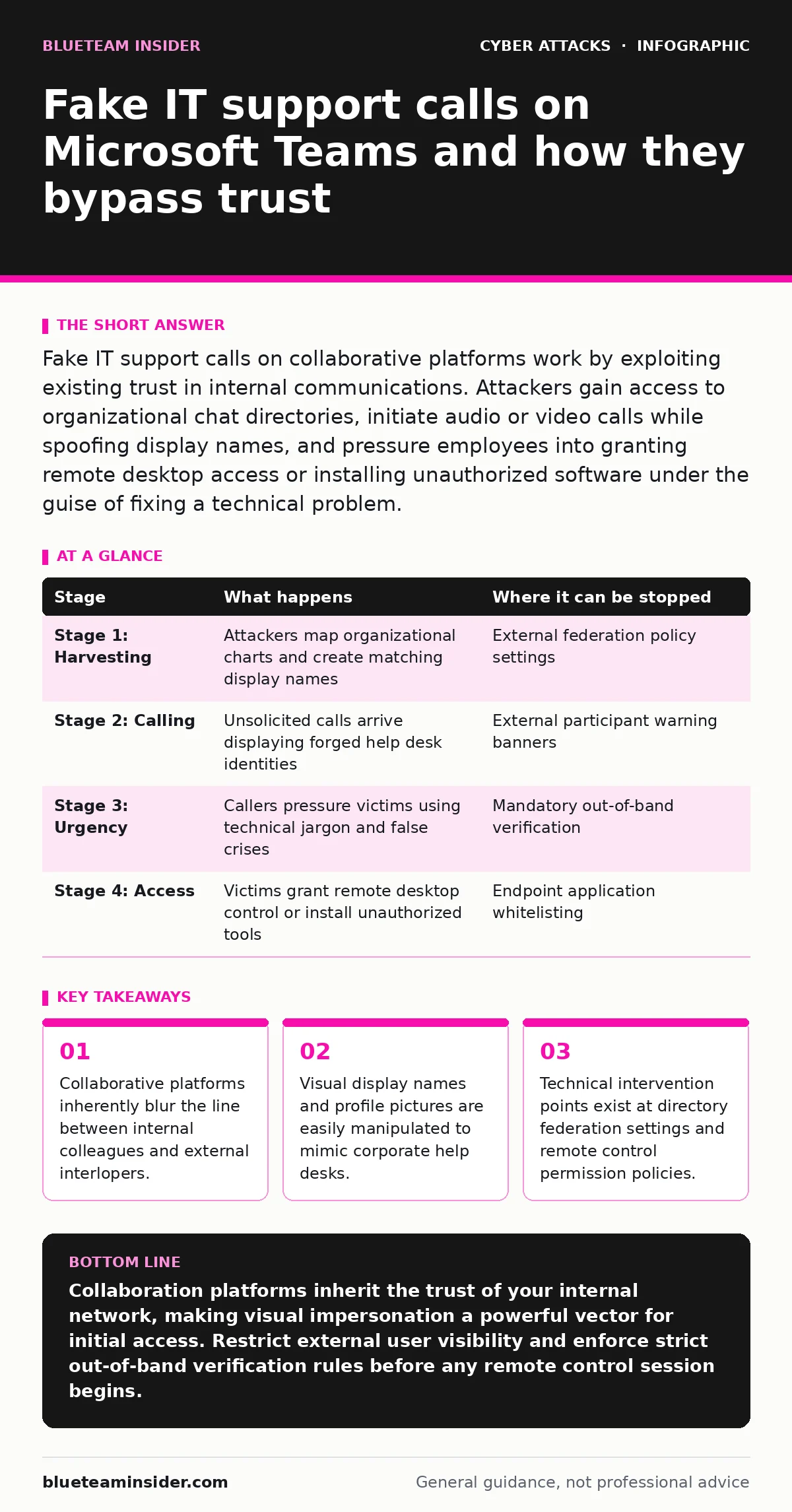
Fake IT support calls on collaborative platforms work by exploiting existing trust in internal communications. Attackers gain access to organizational chat directories, initiate audio or video calls while spoofing display names, and pressure employees into granting remote desktop access or installing unauthorized software under the guise of fixing a technical problem.
Anatomy of a Collaboration Platform Impersonation
Fake technical support attacks targeting modern collaborative platforms rely on the psychological comfort employees feel inside their corporate digital workspace. Organizations spend years training staff to trust internal chat tools, creating a blind spot when a stranger initiates a direct voice call. Attackers manipulate the inherent assumption that anyone inside the organizational directory belongs to the company.
Platform federation settings often allow external accounts to appear alongside internal colleagues without distinct visual warnings. When an external account matches the display name and avatar of an internal help desk worker, the visual cues fail. You experience a false sense of familiarity because the interface mimics your everyday communication habits.
Organizations that overlook social engineering red flags in chat applications leave a wide gap for impersonators. Attackers harvest employee names and organizational charts from public professional networks to map out internal reporting structures before making a single call.
### Stage 1: Directory Harvesting and Persona Crafting
Attackers begin by gathering names, job titles, and internal hierarchies from public sources to identify likely targets within a company. They create external accounts configured to match the exact display names of the internal IT department. Profile pictures are downloaded from corporate social media posts to complete the deception and lower initial suspicion.
### Stage 2: Initiating the Unsolicited Call
Attackers place a direct audio or video call through the collaborative platform to the target employee, bypassing email entirely. The incoming call notification displays the forged help desk name, appearing identical to a legitimate internal escalation. Employees accustomed to routine technical troubleshooting accept the call without questioning the communication channel.
### Stage 3: Establishing False Urgency and Authority
Callers use social engineering tactics to manufacture a crisis, claiming an urgent security vulnerability requires immediate remediation on the workstation. They speak with professional confidence, using internal technical jargon to reinforce their assumed authority as system administrators. This pressure causes the employee to bypass standard verification habits.
### Stage 4: Requesting Remote Access and Control
Attackers instruct the victim to share their screen or download a third-party remote management utility under the pretext of diagnosing the phantom issue. Once remote access is established, the attacker navigates the operating system to install persistent monitoring tools or exfiltrate sensitive credentials. The legitimate platform call remains active to distract the victim while unauthorized actions occur in the background.
| Stage | What happens | Where it can be stopped |
|---|---|---|
| Stage 1: Harvesting | Attackers map organizational charts and create matching display names | External federation policy settings |
| Stage 2: Calling | Unsolicited calls arrive displaying forged help desk identities | External participant warning banners |
| Stage 3: Urgency | Callers pressure victims using technical jargon and false crises | Mandatory out-of-band verification |
| Stage 4: Access | Victims grant remote desktop control or install unauthorized tools | Endpoint application whitelisting |
See also: Scareware Pop Up: How to Spot Fake Alerts and Stop the Threat · Phishing Defenses: Answers to 10 Critical Questions
Interrupting the Attack Chain
Stopping these attacks requires multiple technical and procedural barriers that do not rely solely on employee alertness. Directory federation controls must restrict external tenants from communicating with internal staff unless a specific business justification exists. When an external user initiates a chat or call, the platform interface should display a prominent, unmissable warning banner identifying the account as external.
Endpoint protection mechanisms provide a reliable safety net when social engineering succeeds. Application whitelisting prevents unauthorized remote control software from executing, even if the user willingly downloads the installation file during a manipulated call. You must configure these controls centrally because expecting humans to spot every digital impersonation reliably fails under pressure.
Internal help desks should establish strict protocols regarding how they initiate contact for unexpected issues. Requiring employees to verify support tickets through an independent portal before granting any level of access disrupts the attacker's momentum. Maintaining an active incident response plan ensures that if unauthorized remote tools appear on a workstation, containment procedures trigger instantly.
Key takeaways
- Collaborative platforms inherently blur the line between internal colleagues and external interlopers.
- Visual display names and profile pictures are easily manipulated to mimic corporate help desks.
- Technical intervention points exist at directory federation settings and remote control permission policies.
Collaboration platforms inherit the trust of your internal network, making visual impersonation a powerful vector for initial access. Restrict external user visibility and enforce strict out-of-band verification rules before any remote control session begins.
Frequently asked questions
Can attackers spoof internal user IDs directly inside a closed corporate tenant?
Attackers typically rely on external federation or guest accounts with manipulated display names rather than compromising internal account IDs directly.
Why do employees fall for voice calls more easily than phishing emails?
Voice calls demand real-time cognitive processing and exploit human social norms, leaving little time for the recipient to analyze inconsistencies.
Do collaborative platform audio calls bypass standard email security gateways?
Platform calls operate entirely within the application's proprietary communication channels, bypassing email authentication mechanisms completely.
What is the most effective technical control against this specific attack vector?
Disabling or strictly limiting external tenant federation prevents unauthorized external accounts from initiating direct calls to internal staff.
How this guide was produced: written by the BlueTeam Insider editorial team with AI assistance, checked against the public references listed below, and reviewed when the facts change. See our editorial policy or report an error.