Access Review Mistakes That Leave Your Data Exposed
Most access reviews fail because they treat user permissions as static snapshots rather than dynamic flows, leaving orphaned accounts and privilege creep invisible to auditors.

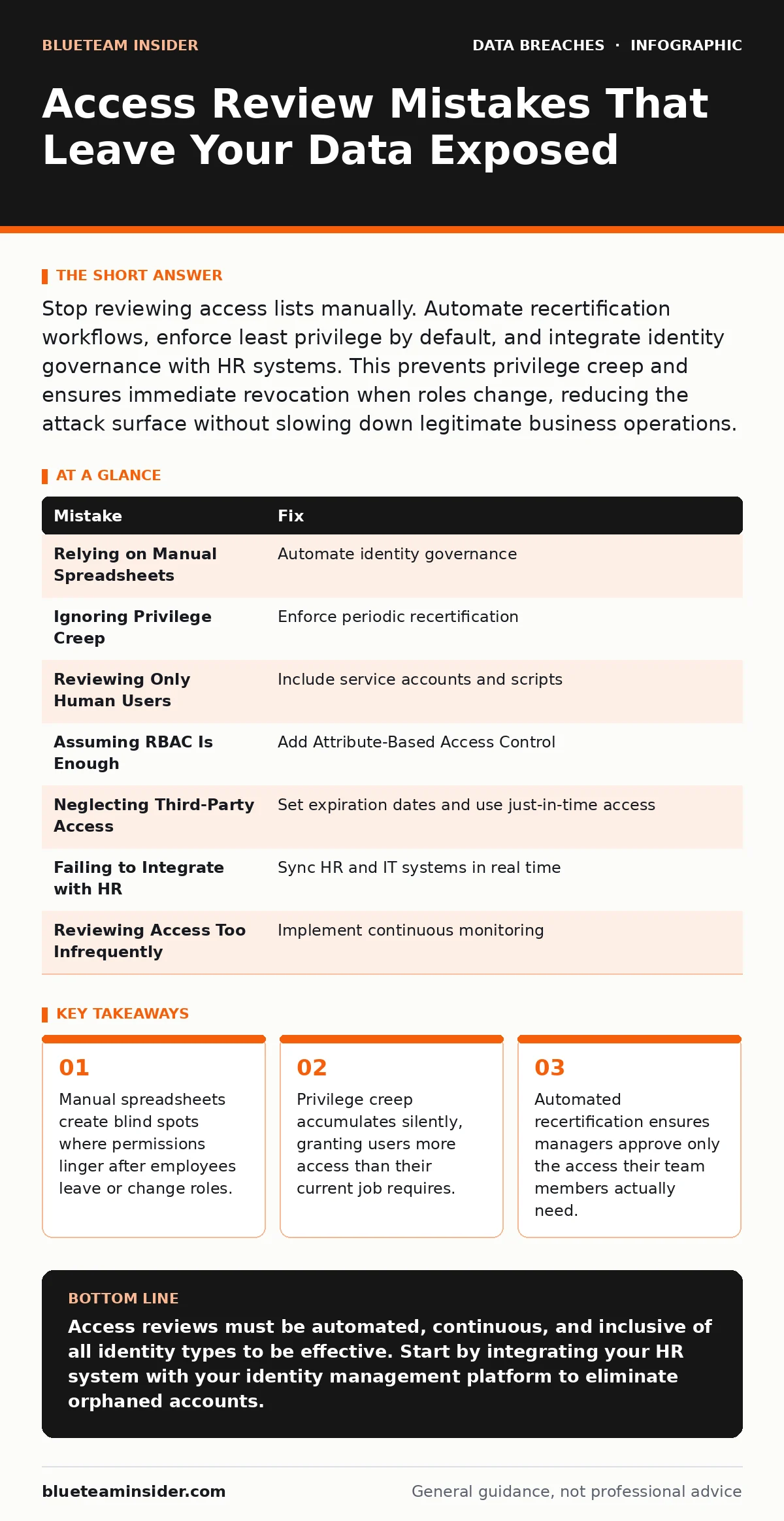
Stop reviewing access lists manually. Automate recertification workflows, enforce least privilege by default, and integrate identity governance with HR systems. This prevents privilege creep and ensures immediate revocation when roles change, reducing the attack surface without slowing down legitimate business operations.
Access reviews are the primary defense against internal data exposure. Yet most organizations treat them as a checkbox exercise. You review a list of users and their permissions, click "approve," and move on. This approach fails because it ignores how access changes in real time. The goal is not to prove you checked the boxes. The goal is to ensure every user has only the access they need to do their job, nothing more.
Mistake 1: Relying on Manual Spreadsheets
Why it hurts: Spreadsheets are static snapshots of a dynamic system. By the time you finish reviewing a sheet, the underlying permissions have likely changed. You miss new hires, ignore role changes, and fail to catch terminated users who still have active accounts. This gap creates a window of vulnerability where unauthorized access goes unnoticed.
The fix: Move to an automated identity governance solution. These tools pull real-time data from your directory services. They flag anomalies automatically, such as a user gaining admin rights without approval. Automation ensures the review reflects the current state of your environment, not the state from last week.
Mistake 2: Ignoring Privilege Creep
Why it hurts: Privilege creep happens when users accumulate permissions over time. A marketing employee gets access to a sales database for a project. The project ends, but the access remains. Years later, that user has access to finance, HR, and engineering systems. If an attacker compromises this account, they inherit all those accumulated privileges.
The fix: Implement periodic access recertification. Force managers to justify every permission their team members hold. If a permission is not needed for the current role, remove it. This process strips away unused access, keeping the attack surface small. It also highlights roles that are poorly defined or overly broad.
Mistake 3: Reviewing Only Human Users
Why it hurts: You likely focus your reviews on employee accounts. You ignore service accounts, application identities, and automated scripts. These non-human identities often have high privileges to maintain system functionality. Attackers target these accounts because they are rarely monitored and often have weak authentication.
The fix: Include all identity types in your review process. Identify every service account and its associated permissions. Ensure they use strong authentication methods, such as certificate-based login. Monitor their usage patterns for anomalies. If a service account suddenly accesses a new system, investigate immediately.
Mistake 4: Assuming Role-Based Access Control Is Enough
Why it hurts: Role-Based Access Control (RBAC) assigns permissions based on job titles. This works in theory but fails in practice. Two people with the same title may need different access. One engineer needs database access; another does not. RBAC often leads to over-provisioning to cover edge cases. This violates the principle of least privilege.
The fix: Combine RBAC with Attribute-Based Access Control (ABAC). ABAC evaluates attributes like department, location, and time of day. This allows for finer-grained control. You can grant access based on context, not just title. This reduces the need for broad, risky permissions.
Mistake 5: Neglecting Third-Party Access
Why it hurts: Vendors and contractors often need access to your systems. You grant them permissions, but you rarely review them. These accounts are frequently forgotten when contracts end. They become backdoors for attackers. A compromised vendor account can give an attacker direct access to your sensitive data.
The fix: Treat third-party access with the same rigor as employee access. Set expiration dates for all vendor accounts. Use just-in-time access, where permissions are granted only for the duration of the work. Integrate your review process with your procurement system. If a contract ends, access should be revoked automatically.
See also: MFA for Cloud Accounts: 8 Practices to Prevent Credential Theft · Data Exfiltration Prevention: Stop Hidden Data Theft Before It Escapes
Mistake 6: Failing to Integrate with HR Systems
Why it hurts: Your identity management system is out of sync with your Human Resources (HR) system. When an employee leaves, HR marks them as terminated. But the IT system does not know. The user retains access to emails, files, and databases. This is a primary cause of data breaches involving former employees.
The fix: Establish a direct integration between HR and IT systems. Trigger access revocation automatically when employment status changes. This eliminates the delay between termination and account closure. It also ensures that role changes are reflected in permissions immediately.
Mistake 7: Reviewing Access Too Infrequently
Why it hurts: Annual or quarterly reviews are too slow. The environment changes daily. Users join, leave, and change roles. An annual review leaves you blind to changes that occurred in the interim. Attackers exploit this lag to maintain persistent access.
The fix: Move to continuous monitoring. Use tools that alert you to significant permission changes in real time. Combine this with frequent, smaller recertification cycles. For high-risk accounts, review access monthly. For standard users, quarterly reviews may suffice. The frequency should match the risk level of the access.
| Mistake | Fix |
|---|---|
| Relying on Manual Spreadsheets | Automate identity governance |
| Ignoring Privilege Creep | Enforce periodic recertification |
| Reviewing Only Human Users | Include service accounts and scripts |
| Assuming RBAC Is Enough | Add Attribute-Based Access Control |
| Neglecting Third-Party Access | Set expiration dates and use just-in-time access |
| Failing to Integrate with HR | Sync HR and IT systems in real time |
| Reviewing Access Too Infrequently | Implement continuous monitoring |
Proper access reviews reduce the risk of insider threats and compromised accounts. They also support compliance requirements by providing auditable proof of control. When you combine these practices with strong data masking techniques, you ensure that even if access is granted, sensitive data remains protected. Regular backup testing complements this by ensuring you can recover if a breach does occur. These measures work together to create a layered defense.
Key takeaways
- Manual spreadsheets create blind spots where permissions linger after employees leave or change roles.
- Privilege creep accumulates silently, granting users more access than their current job requires.
- Automated recertification ensures managers approve only the access their team members actually need.
Access reviews must be automated, continuous, and inclusive of all identity types to be effective. Start by integrating your HR system with your identity management platform to eliminate orphaned accounts.
Frequently asked questions
How often should I review high-privilege accounts?
Review high-privilege accounts monthly or even weekly. These accounts pose the greatest risk if compromised.
Can I automate access reviews for small teams?
Yes. Even small teams benefit from automated workflows. Manual reviews are error-prone regardless of team size.
What is the difference between RBAC and ABAC?
RBAC assigns permissions based on job roles. ABAC assigns permissions based on attributes like location and time, allowing for more granular control.
How do I handle emergency access requests?
Use a break-glass account with strict logging and immediate expiration. Review all emergency access usage within 24 hours.
How this guide was produced: written by the BlueTeam Insider editorial team with AI assistance, checked against the public references listed below, and reviewed when the facts change. See our editorial policy or report an error.