Email Authentication Best Practices to Stop Spoofing
Configuring DMARC correctly can block forged emails before they reach the inbox, but only if you handle legacy system compatibility without breaking legitimate mail flow.
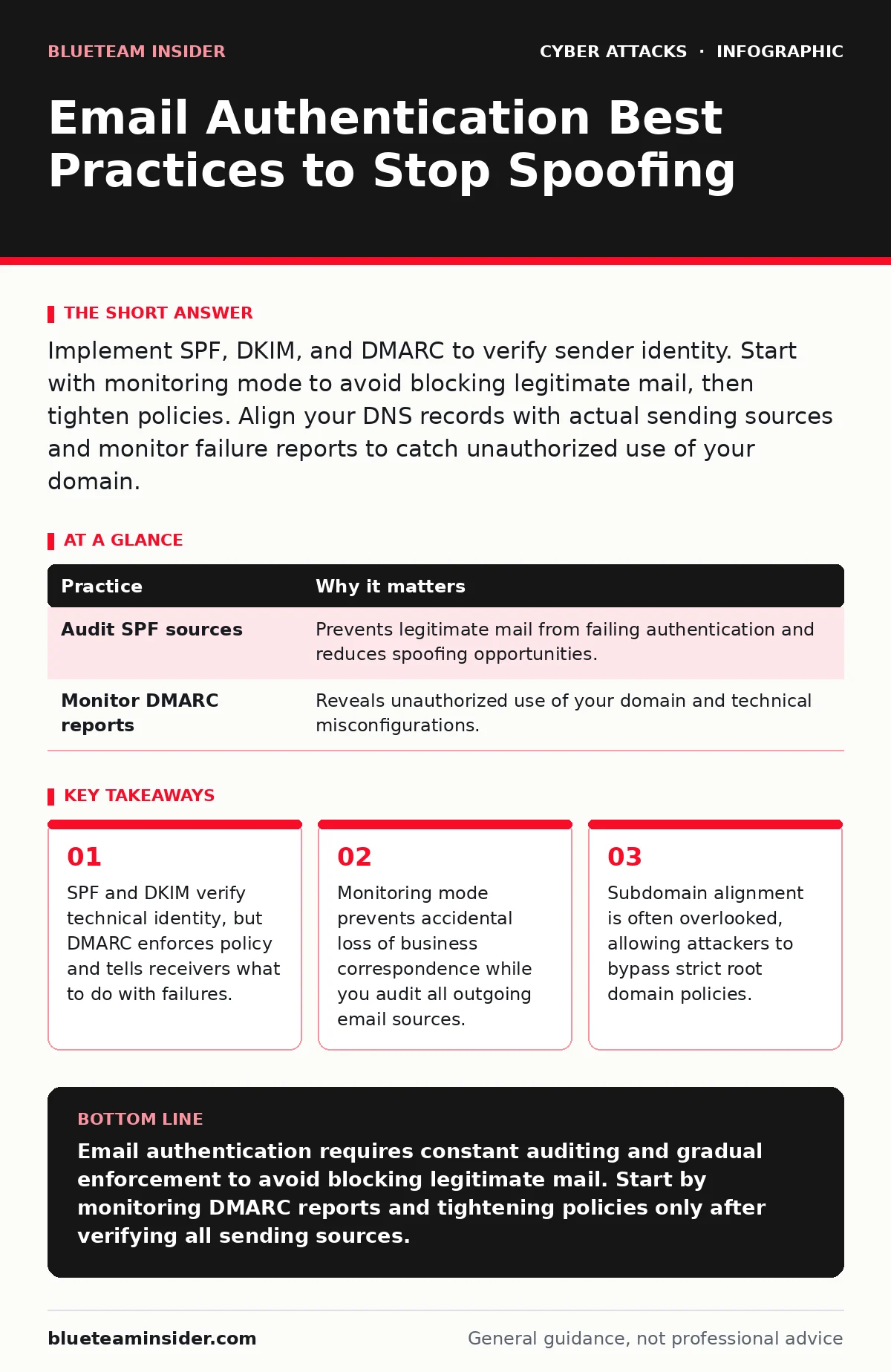
Implement SPF, DKIM, and DMARC to verify sender identity. Start with monitoring mode to avoid blocking legitimate mail, then tighten policies. Align your DNS records with actual sending sources and monitor failure reports to catch unauthorized use of your domain.
Aligning Identity With Reality
Email authentication relies on three open standards: SPF, DKIM, and DMARC. Sender Policy Framework (SPF) lists IP addresses allowed to send mail for a domain. DomainKeys Identified Mail (DKIM) adds a cryptographic signature to the header. Domain-based Message Authentication, Reporting, and Conformance (DMARC) ties these together and instructs receivers on how to handle failures. Without DMARC, SPF and DKIM are advisory. Receivers can ignore them. DMARC makes verification mandatory for policy enforcement.
Auditing All Sending Sources
You cannot protect what you do not know. Many organizations miss third-party services, marketing platforms, or legacy applications that send email on their behalf. If these sources are not listed in your SPF record, legitimate emails will fail authentication. Attackers exploit this gap. They send spoofed messages that look like they come from your domain but bypass your incomplete SPF list. This is a common vector for email spoofing attacks.
Suppose your marketing team uses a separate platform for newsletters. If that platform’s IP is not in your SPF record, your subscribers may see these newsletters as spam or forged. You must audit every system that sends email. Add each trusted IP or domain to your SPF record. Keep the record clean. Remove old, unused services to reduce attack surface.
| Practice | Why it matters |
|---|---|
| Audit SPF sources | Prevents legitimate mail from failing authentication and reduces spoofing opportunities. |
| Monitor DMARC reports | Reveals unauthorized use of your domain and technical misconfigurations. |
Enforcing Strict Alignment
DMARC checks for alignment. This means the domain in the "From" header must match the domain used in SPF and DKIM. Many organizations fail here. They use a subdomain for sending but authenticate the root domain. Or they use a third-party service that sends from a different domain. This mismatch allows attackers to bypass checks. They can send mail from a subdomain while your DMARC policy protects only the root.
You must choose between relaxed and strict alignment. Relaxed alignment allows subdomains to pass if the root domain matches. Strict alignment requires an exact match. For high-security environments, strict alignment is safer. It forces senders to use the exact domain in all headers. This stops attackers from using subdomains to evade detection.
Handling Legacy Systems Carefully
Older systems often cannot support modern authentication methods. They may not sign emails with DKIM or may use static IPs that change. Forcing strict policies on these systems breaks communication. You lose invoices, alerts, or internal notices. This is a hidden cost of security. You must balance protection with functionality.
Use separate subdomains for legacy systems. Create legacy.example.com and apply a softer DMARC policy there. This isolates risk. If an attacker compromises the legacy system, they cannot abuse the main domain’s reputation. You can monitor this subdomain closely. Gradually migrate these systems to modern platforms. This approach maintains business continuity while improving security.
Monitoring Failure Reports
DMARC generates reports. These reports tell you which emails failed authentication and why. Ignoring these reports is a major error. You lose visibility into unauthorized use. Attackers may be using your domain for phishing campaigns. You would not know without these reports.
Set up an automated system to ingest DMARC reports. Look for high volumes of failures from unknown sources. Investigate any IP address not in your allowed list. If you see failures from a trusted partner, update your SPF record. If you see failures from unknown sources, contact your registrar or hosting provider. This data is your early warning system.
See also: Phishing Defenses: Answers to 10 Critical Questions
Securing DNS Infrastructure
Your DNS records host your SPF and DMARC settings. If an attacker compromises your DNS, they can change these records. They can add their own IP to SPF or remove your DMARC policy. This defeats all authentication efforts. DNS security is the foundation of email authentication.
Use DNSSEC to sign your DNS records. This prevents tampering. Ensure your DNS provider supports strong authentication. Limit access to DNS management interfaces. Use multi-factor authentication for any account that can modify DNS. Regularly review who has access. Revoke permissions for employees who no longer need them. This prevents insider threats and external breaches from altering your authentication settings.
Managing Third-Party Risk
Third-party vendors often send email on your behalf. They may not follow best practices. Their systems may be vulnerable. If they are compromised, attackers can send malicious email using your identity. You are responsible for their failures. This is part of the human factor in security. You must manage external risks.
Require vendors to support SPF, DKIM, and DMARC. Include this in your contracts. Monitor their authentication status. If they fail, you must act. You may need to block their traffic or require immediate remediation. Treat vendor email as part of your own attack surface. Do not assume their security is sufficient. Verify it regularly.
Balancing Security And Usability
Strict authentication can block legitimate email. This frustrates users and harms business. You must find the balance. Start with monitoring. Move to quarantine. Finally, move to rejection. This gradual approach allows you to catch errors. You can fix misconfigurations before they cause damage.
Test changes in a non-production environment first. Send test emails to verify they pass authentication. Check headers to ensure alignment. Monitor user feedback. If users report missing email, investigate immediately. Adjust your policy as needed. Security should enable business, not hinder it. Constant refinement is key.
Key takeaways
- SPF and DKIM verify technical identity, but DMARC enforces policy and tells receivers what to do with failures.
- Monitoring mode prevents accidental loss of business correspondence while you audit all outgoing email sources.
- Subdomain alignment is often overlooked, allowing attackers to bypass strict root domain policies.
Email authentication requires constant auditing and gradual enforcement to avoid blocking legitimate mail. Start by monitoring DMARC reports and tightening policies only after verifying all sending sources.
Frequently asked questions
What is the difference between SPF and DKIM?
SPF lists allowed sending IP addresses, while DKIM adds a cryptographic signature to verify the email was not altered in transit.
Can DMARC stop all phishing attempts?
DMARC stops phishing that uses your domain in the "From" header. It does not protect against phishing from other domains or social engineering attacks.
How long should I wait before enforcing DMARC?
Wait until you have reviewed DMARC reports for at least several weeks to ensure no legitimate mail is failing authentication.
Do I need DMARC if I use SPF and DKIM?
Yes. Without DMARC, receivers may ignore SPF and DKIM failures. DMARC provides the policy instruction for handling those failures.
How this guide was produced: written by the BlueTeam Insider editorial team with AI assistance, checked against the public references listed below, and reviewed when the facts change. See our editorial policy or report an error.